LOGIN TO THE ACCELERATOR

Legacy Accelerator Platform 2.0

Purchased the Accelerator on or before January 20, 2025? You have access to both the legacy Accelerator 2.0 platform and the new Accelerator 3.0 platform. Interested in transitioning to the new platform? Scroll down to learn how.

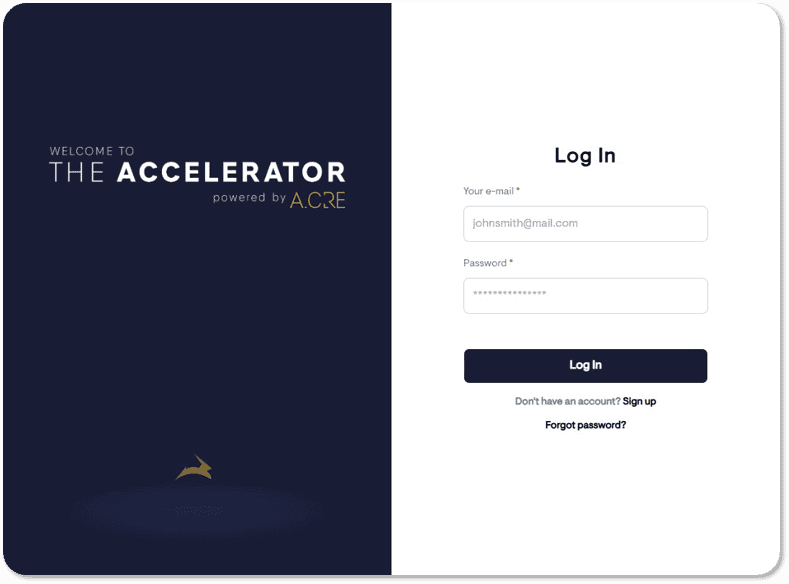
2.0 – Login Instructions (Password Required):

Have questions? Read the FAQ

New Accelerator Platform 3.0

Purchase the Accelerator after January 20, 2025? Welcome to the Accelerator 3.0 platform! This new platform now offers networking features, an improved learning experience, and more. View login instructions below.

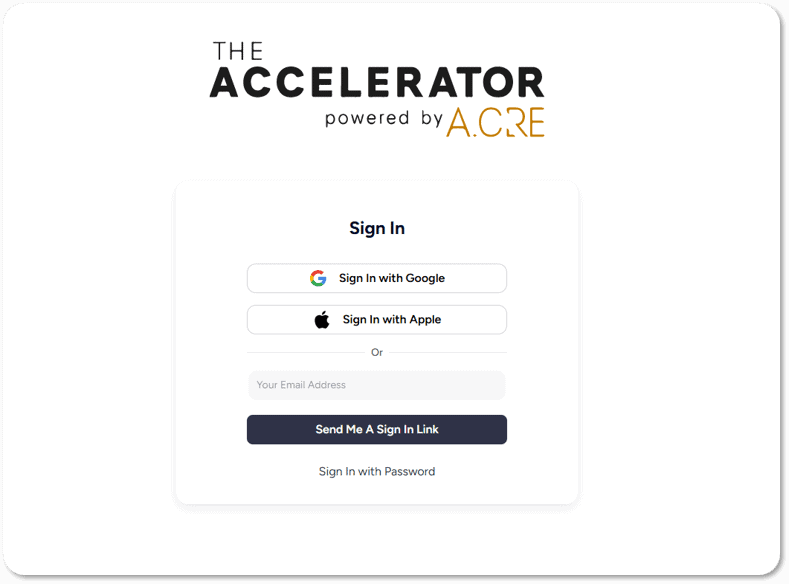
3.0 – Login Instructions (Do Not Use Password):

  • Go to: https://app.adventuresincre.ai/.
  • Enter your registered email address.
  • Click “Send Me a Sign-In Link.”
  • Open the email we send you and click the link to log in.

Have questions? Read the FAQ

Frequently Asked Questions

The Legacy Accelerator 2.0 Platform has been the backbone of our industry-leading real estate financial modeling program since early 2022. Building on that success, the Accelerator 3.0 Platform represents a leap forward, incorporating valuable feedback from thousands of members and introducing new tools, features, and enhancements to meet the evolving needs of commercial real estate professionals. Here’s what’s new:

#1 Same Proven Curriculum with Cutting-Edge Updates

What makes the Accelerator the best way to learn financial modeling hasn’t changed. The Core Curriculum, Advanced Endorsement Curricula, and Case-Based approach to learning remain the foundation of the program. However, the 3.0 Platform introduces AI-enhanced lessons and practical applications of emerging technologies, ensuring members stay ahead in today’s rapidly changing industry.

#2 Gamified Learning and Engagement

With the 3.0 launch, we’ve introduced a point-based system to reward your learning journey. Members earn points for completing learning content, engaging with content, and sharing job posts, with Monthly and Annual Leaderboards designed to encourage collaboration, competition, and growth.

#3 Networking Features for Professional Growth

The 3.0 Platform takes professional growth to the next level with expanded user profiles, allowing members to showcase their LinkedIn profiles, job titles, areas of expertise, location, and years of experience. Beyond a simple profile, the platform now offers tools for direct engagement and networking with other members—if they choose to connect—including features like direct messaging, discussion boards, and more.

Additionally, the new ‘Events’ feature creates unique opportunities for industry leaders, companies, and universities to host live sessions, engage with members directly, and foster meaningful connections that drive professional development.

Note that networking features are optional. Members may remain anonymous if they prefer.

#4 Improved Learning Experience

The new learning engine is faster, smarter, and more modern, making it easy to explore the massive library of Accelerator content just when you need it. Whether it’s a lesson, case study, Q&A response, or message, the platform is designed to streamline your experience and maximize efficiency.

  • Click here to learn more about why we built the Accelerator 3.0

All active and expired Accelerator members, regardless of when they purchased their membership, have immediate access to the new Accelerator 3.0 platform. However, expired members will only have limited access to content and features.

Important: The 3.0 Platform does not use passwords. To log in, simply go to the login page, enter your registered Accelerator email address, and click ‘Send Me a Sign-In Link.’ Check your email for the link, and you’ll be logged in instantly.

The Accelerator 3.0 Platform is designed to be simple and secure by avoiding passwords altogether. Instead of creating and managing a password, you log in using an Email Link sign-in method:

  1. Enter your registered Accelerator email address on the Accelerator 3.0 login page.
  2. Click “Send Me a Sign-In Link.”
  3. Check your email for the one-time link and click it to access the platform—no password required!

This approach ensures that logging in is seamless and improves security for our Accelerator members.

Important: If you request a password reset through the Accelerator 3.0 Platform, a new password will be generated for your Accelerator 3.0 login. However, this password will only apply to your Accelerator 3.0 credentials and will not affect your login credentials for the main A.CRE website (frontend). Or in other words, you may end up with two A.CRE passwords: one for the Accelerator 3.0 and a second for the A.CRE frontend website.

For the best experience on the Accelerator 3.0 Platform, we highly recommend using the Email Link sign-in method.

Yes, Accelerator course content will remain accessible on the 2.0 Platform for members who purchased prior to Jan 21, 2025, until Jan 20, 2026.

If you wish, you can transfer your progress from the legacy 2.0 platform to the new Accelerator 3.0 Platform at no cost. Learn how by clicking here.

Please note that while course content will no longer be available on the 2.0 Platform after Jan 20, 2026, any Certificate of Completion earned on the 2.0 Platform will still be accessible. The unique URL to your certificate will remain unchanged and can be found here.

All Accelerator members, regardless of when they purchased the program, have access to both the Legacy 2.0 Platform and the new 3.0 Platform. However, if you purchased the program prior to Jan 21, 2025, and would like to transfer your progress from the 2.0 Platform to the 3.0 Platform, a manual process is required.

Here’s how it works:

  • Step #1: Make note of the course/lesson you’re currently working on in the Legacy Accelerator 2.0 Platform.
  • Step #2: Submit a request to transfer your progress. Click here to make that request.
    • Once you submit your request, you’ll receive a confirmation email with next steps.
    • Our team will respond within 2 business days, and the manual progress transfer process may take up to 1 additional business day to complete.
  • Step #3: While waiting for your progress to be transferred, log in to the Accelerator 3.0 platform and complete the quick onboarding process if you haven’t already:
    • Go to https://app.adventuresincre.ai/login.
    • Enter your Accelerator email and click “Send Me a Sign-In Link.”
    • Open the email you receive and click the link to sign in—no password required.
  • Step #4: Once onboarded, you can begin working on your coursework where you left off. We’ll update your previous progress during the transfer process.

Our team is here to ensure your transition is smooth and hassle-free. Don’t hesitate to reach out if you have questions along the way!

Once a Graduate of the Accelerator Program, always a Graduate of the Accelerator Program. Your Certificate of Completion will still exist at the original link provided to you. You can always find a link to your Certificate of Completion on the Accelerator graduates page.

All Accelerator members who purchased their membership on or after Jan 21, 2025, along with all newly reactivated members (i.e., individuals whose membership expired and then reactivated), will be directed to the Accelerator 3.0 platform going forward.

If you had previous progress on the Legacy Accelerator 2.0 Platform that you’d like transferred to the new platform, click here to request that transfer. Our team will assist you with transitioning your progress seamlessly.

Course content on the Legacy Accelerator 2.0 Platform will remain available until January 19, 2026, for those who purchased prior to January 20, 2025. After that date, access to course content on the 2.0 Platform will no longer be supported, and members will need to transition to the Accelerator 3.0 Platform.

The transition process is free and straightforward. Click here to transfer your progress to the new platform.

3.0 – Login Instructions (Do Not Use Password):

  • Go to: https://app.adventuresincre.ai/.
  • Enter your registered email address.
  • Click “Send Me a Sign-In Link.”
  • Open the email we send you and click the link to log in.

If you have any other questions about the rollout of the new Accelerator 3.0 platform, feel free to contact us via the A.CRE Contact Us page.