

Zapier vs. Make vs. n8n: Which Automation Platform Should CRE Teams Use With AI?
Choosing the right automation tools for CRE teams used to be a straightforward question. Pick the easiest platform, connect your apps, save time. That framing made sense a couple of years ago. It does not quite fit anymore.
MCP changed the context. If you have been following this series, you know that MCP (Model Context Protocol) is what lets your AI connect to real tools and data sources: your comp databases, live market feeds, external APIs. The automation tools CRE teams choose now need to support that connection, and the platforms that handle MCP well are not necessarily the same ones that were easiest to use in 2022.
I have used Zapier at A.CRE to connect tools and automate internal workflows. I am not a CRE analyst, but I manage the systems that CRE professionals use every day. That is the lens I am bringing to this comparison: which of these automation tools fits a CRE team that wants to connect AI to real workflows, without a developer on staff.
- You might also like: What MCP is and why it matters for CRE professionals: What Is MCP and Why Should CRE Professionals Pay Attention?
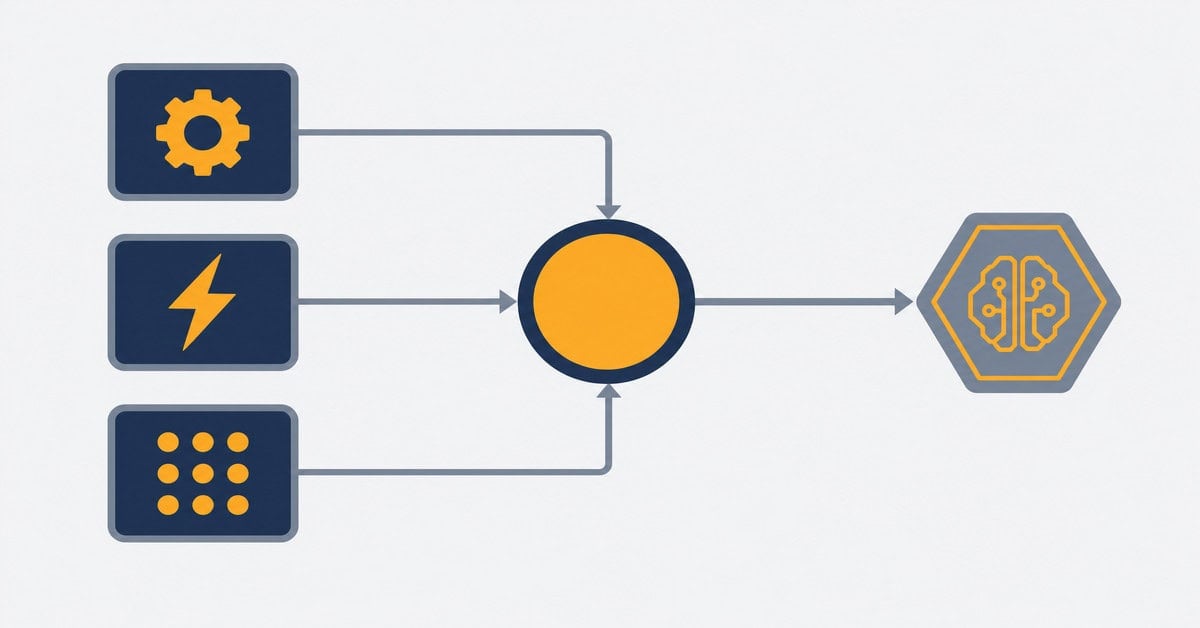
What These Automation Tools Actually Do
All three are automation tools built for teams that want to connect apps without writing code. You define triggers and actions, and the platform runs the workflow for you. A trigger might be a new row added to a spreadsheet, a form submission, or a message received. An action might be sending an email, updating a database, or running an AI prompt.
Where they differ is in how much technical skill they expect from you, how they price usage, and, most relevant to this series, how well they support MCP connections between your AI and your existing tools.
Zapier
Zapier is the most widely used automation platform in the world and the easiest to get started with. Its interface is linear: pick a trigger, add actions, done. No canvas, no nodes, no configuration files. If your team has never used an automation platform before, Zapier is the one most people can figure out in an afternoon.
The integration catalog is the largest of the three, covering 8,000+ apps. If a SaaS tool exists, Zapier almost certainly connects to it. For CRE teams using a mix of tools, including CRMs, email platforms, spreadsheets, and document tools, that breadth matters.
On MCP: Zapier launched an MCP server in 2025 that exposes its automation actions to external AI tools like Claude and ChatGPT. In practice, this means your AI can trigger Zapier workflows directly from a conversation. That is useful if your existing automations are already built in Zapier and you want AI to be able to invoke them.
The tradeoff is cost. Zapier charges per task, and every action in a multi-step workflow counts as a separate task. That model works fine for low-volume automations. At higher volumes, or with complex multi-step workflows, costs compound fast. Check current plans and task limits at zapier.com/pricing.
Best fit: CRE teams with no technical background who want an automation tool working quickly, run relatively simple workflows, and are not yet dealing with high automation volume.
Make
Make (formerly Integromat) sits between Zapier and n8n in terms of complexity. Its canvas-based interface lets you build workflows visually, including branching paths, filters, and parallel processes that Zapier’s linear approach handles less elegantly. It takes a bit more time to learn than Zapier, but it is still accessible to non-developers who are willing to spend a few hours with it.
The integration catalog covers 2,000+ apps, smaller than Zapier but sufficient for most CRE workflows. Where Make earns its keep is in workflow logic: when your automation needs to handle multiple conditions, route data differently depending on outcomes, or run complex multi-step processes, Make’s visual canvas makes that much easier to build and understand.
On MCP: Make has both an MCP server and an MCP client, and both work without any coding. The MCP server lets Claude or ChatGPT trigger your Make scenarios directly. The MCP client lets your Make scenarios call external MCP tools, including things like the A.CRE Intelligence Hub. That bidirectional setup is genuinely useful: your AI can pull live market data through the Hub and then trigger a Make workflow to act on it, all from a single conversation.
Make uses execution-based pricing: one complete workflow run counts as one execution, regardless of how many steps it contains. That is a materially different model from Zapier’s per-task billing, and it generally works out cheaper for complex, multi-step automations. See current plans at make.com/en/pricing.
Best fit: CRE teams who want visual workflow logic, are comfortable spending a few hours learning an automation tool, and plan to build workflows with multiple steps or conditional paths. This is the starting point I would recommend for most CRE professionals.
- You might also like: How to connect an MCP server to Claude Desktop with no developer experience required: How to Connect an MCP Server to Claude Desktop (No Developer Experience Required)
n8n
n8n is the most technically capable of the three and the hardest to get started with. It is open-source, which means you can self-host it on your own server for free. There are no usage caps, no per-task billing, and no per-execution charges on a self-hosted deployment. For teams running high-volume automations, that cost model is hard to beat.
The interface is node-based, similar to how developers think about data flows. Non-technical users can learn it, but it takes more time and patience than Zapier or Make. The integration catalog is smaller at 1,000+ native connectors, though n8n can connect to any service that has an open API, which covers most CRE tools.
On MCP: n8n has the deepest native MCP support of the three. It has an MCP trigger node that lets you turn any n8n workflow into an MCP server, meaning your AI can discover and run your workflows directly. Its AI agent nodes can also connect to external MCP servers as tools. For someone building a custom AI stack that connects multiple data sources and workflow automations, n8n gives you more architectural control than the other two.
The tradeoff is infrastructure. Self-hosting requires a server, ongoing maintenance, and enough technical comfort to manage it. n8n Cloud removes that burden but reintroduces subscription costs. See current options at n8n.io/pricing.
Best fit: CRE teams with a technically inclined operator or a developer available who want maximum control, low cost at scale, and the ability to build custom AI workflow infrastructure.
How CRE Teams Should Think About the Decision
The question is not which platform is best in the abstract. It is which one fits where your team is right now.
If you have never built an automation and want to connect two tools quickly, start with Zapier. The learning curve is minimal and you will have something working the same day.
If you are ready to invest a few hours learning a platform and want something that handles more complex logic, is more cost-effective at scale, and connects cleanly to AI tools via MCP, Make is the better starting point for most CRE professionals.
If you have technical resources available, want full data control, and are building a more serious AI workflow stack, n8n is worth the setup cost.
One thing worth noting: these platforms are not mutually exclusive. Some teams use Zapier for simple integrations, Make for complex workflows, and connect both to AI through MCP. The goal is not to pick the right tool forever. It is to get something working, then build from there.
- You might also like: How Spencer used MCP and live data to transform AI output quality in CRE analysis: The Multiplier Framework Workshop #4: Give AI the CRE Intelligence It Needs
What This Means for Automation Tools and CRE Workflows
The reason MCP makes the platform choice more consequential is that the value of AI in CRE analysis depends almost entirely on what data the AI can access. A model running from its training data and web scraping will produce outputs that look right and often are not. A model connected to your comp database, live rate feeds, and radius-level demographics produces something you can actually use.
Getting there requires both: an AI that supports MCP connections, and an automation platform that can serve as the bridge between your AI and your existing tools and data. All three platforms now support that connection in some form. The question is which one you will actually use consistently.
For most CRE professionals reading this, Make is the answer. It has the MCP support you need, the visual interface that makes complex logic manageable, and a pricing model that scales without surprises. Start there, build one workflow, connect it to Claude, and see what happens.
If you want structured training on how to apply AI to real CRE workflows, including connecting tools like these to your analysis process, AI.Edge is a structured training program built for CRE professionals.
Frequently Asked Questions: Zapier vs. Make vs. n8n for CRE Teams
What is the difference between Zapier, Make, and n8n?
All three are automation platforms that connect apps and run workflows without requiring code. Zapier is the simplest and most widely used, with the largest app catalog and a linear workflow builder. Make uses a visual canvas and handles more complex logic at a lower cost per workflow. n8n is open-source and self-hostable, with the deepest AI and MCP support but the steepest learning curve.
Do any of these platforms support MCP connections?
Yes, all three now support MCP in some form. Zapier has an MCP server that exposes its automation actions to external AI tools. Make has both an MCP server and an MCP client, letting AI trigger your scenarios and letting your scenarios call external MCP tools. n8n has native MCP trigger nodes that can turn any workflow into an MCP server, with the deepest overall MCP architecture of the three.
Which platform is best for a CRE professional with no technical background?
Zapier is the easiest starting point if you want something working the same day with minimal learning. Make is worth the few extra hours it takes to learn if you plan to build workflows with more than two or three steps or need conditional logic. n8n requires meaningful technical comfort and is not the right starting point for most CRE professionals without a developer available.
Can I connect Make or n8n to the A.CRE Intelligence Hub?
The A.CRE Intelligence Hub is an MCP server, so any platform that supports MCP client connections can work with it. Make’s MCP client module lets you connect to external MCP servers directly within your scenarios. n8n’s AI agent nodes also support external MCP server connections. The Hub provides live data including rates, demographics, employment, and residential permits, which can feed into automated CRE workflows on either platform.
Is n8n really free?
The self-hosted version of n8n is free to use with no usage caps. You pay only for the server infrastructure to run it, which can be as low as a basic cloud VPS. n8n Cloud is a managed option that removes the infrastructure requirement but comes with a subscription fee. See current pricing at n8n.io/pricing.
How does Zapiers per-task pricing work?
Zapier charges per task, and every action in a multi-step workflow counts as a separate task. A workflow with five actions that runs 100 times consumes 500 tasks. This model is predictable at low volumes but compounds quickly for complex, high-frequency workflows. Make and n8n both use execution-based pricing, where a complete workflow run counts as one unit regardless of how many steps it contains.
Can I use more than one of these platforms at the same time?
Yes. Many teams use Zapier for simple app-to-app integrations where speed of setup matters and Make or n8n for more complex workflows where cost efficiency and logic flexibility are priorities. The platforms can also coexist as separate MCP tools connected to the same AI, so your AI can trigger workflows on any of them from a single conversation.
What are realistic automation tools for CRE teams just getting started?
Common starting points include: pulling market data on a schedule and saving it to a spreadsheet or database, routing deal submissions to the right team member based on criteria, triggering AI analysis when a new OM or property record is added, and updating comp databases automatically when new transactions are entered. As your setup matures, you can connect AI directly to these workflows through MCP so the automation and the analysis happen together.
Do I need to know how to code to use any of these platforms?
No coding is required for Zapier or Make. Both are built for non-developers, and their MCP features are accessible through the same no-code interfaces. n8n has no-code features but rewards technical users who can write JavaScript or Python when needed, and self-hosting requires some server management knowledge.
Where can I learn more about applying AI to CRE workflows?
AI.Edge is a structured training program for CRE professionals who want to apply AI to real workflows, including connecting tools like these to analysis and underwriting processes. It is built specifically for the CRE context, not general AI education.

