

Vibe Coding Security: A Simple Checklist for CRE Professionals
On October 21, PHP shipped emergency patches for two bugs nicknamed PHP2Shell. One request, no login, and an attacker could take over the server. The attack ran before a single line of the site’s own code did. Perfect code wouldn’t have saved you, and that’s the part of vibe coding security most people miss. A lot of people in CRE now build small apps with Replit, Lovable, Claude, and similar tools. We ship our own, like the AI headshot tool, and AI.Edge members build them for our build competitions. Most of these apps don’t run on PHP, so PHP2Shell isn’t their problem. The lesson still applies: the risk usually sits in the settings, keys, and defaults nobody looked at. So here’s the checklist I’d hand anyone who has shipped an app with AI. No security background needed, and most steps take a few minutes.
- You might also like: Our plain-English definition of the term behind all of this: Vibe Coding
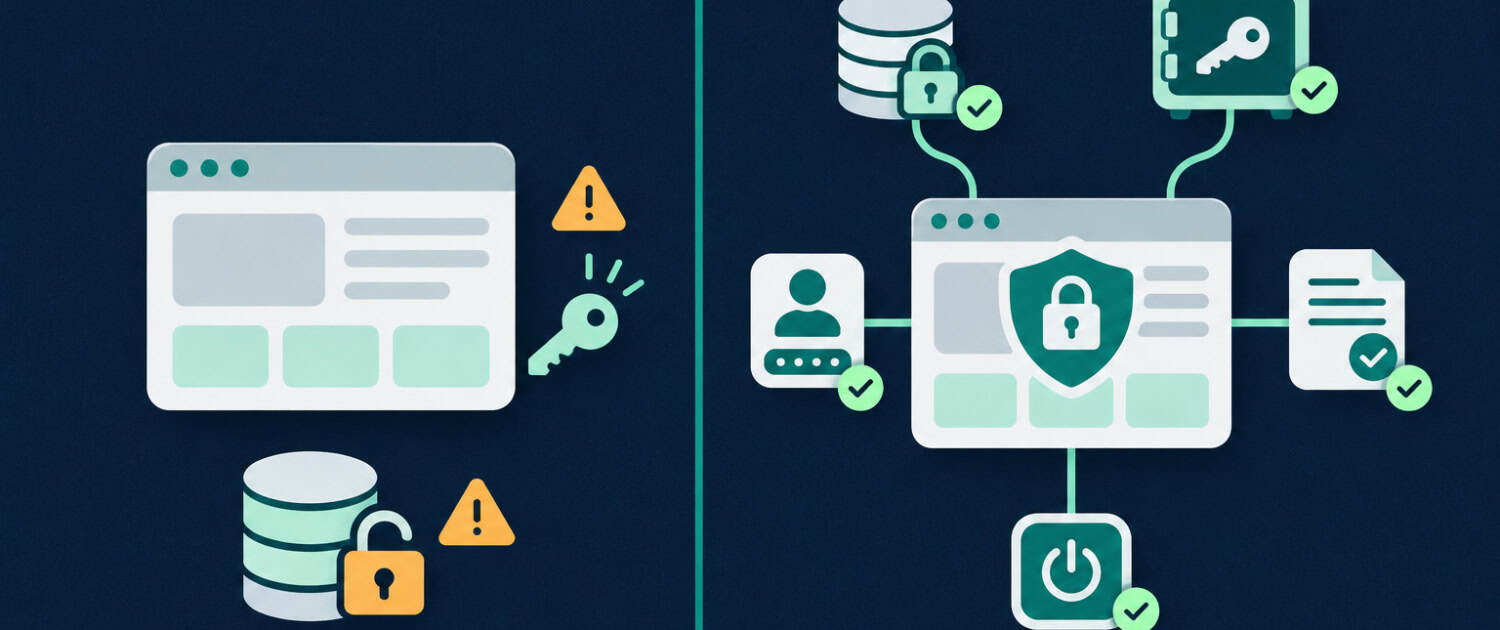
What PHP2Shell Actually Means for You
PHP2Shell is two vulnerabilities (CVE-2026-109618 and CVE-2026-109619), both rated 9.2 out of 10. PHP released fixes on October 21, and CISA added both to its list of actively exploited vulnerabilities on October 26. If you run a PHP site, which includes every WordPress site:
- Managed host (WP Engine, Kinsta, SiteGround): your host patches it. Confirm on their status page.
- Shared hosting with cPanel: switch to a patched version (8.2.35, 8.3.36, 8.4.27, 8.5.12, or newer).
- Your own server: run system updates and restart PHP. Distros often ship the fix without changing the version number, so check their security notice.
- PHP 8.1 or older: no more official releases. Upgrade.
A related bug, CVE-2026-115560, still has no patch. It only affects uncommon setups, and the recommended fix for now is a single setting your host or server admin can change. If your app was built in Replit, Lovable, Bolt, or v0, it almost certainly runs on JavaScript or Python. You’re off the hook for this one. Not for the next part.
The Vibe Coding Security Problems That Actually Show Up
When security researchers look at AI-built apps, the same mistakes keep coming up. In February, Wiz found that Moltbook, a vibe-coded social network for AI agents, had left its database wide open. A database key sat in the site’s public code, and the protections that should have limited it were never turned on. Roughly 1.5 million API keys and tens of thousands of email addresses were exposed (Infosecurity Magazine). That wasn’t a one-off. Security firm Escape scanned publicly deployed vibe-coded apps and found more than 2,000 high-impact vulnerabilities, over 400 exposed secrets, and personal data including medical records and bank account numbers (Escape). None of it took a clever attack. Just someone looking.
Why This Hits Harder in CRE
A leaked to-do list is embarrassing. A leaked rent roll, investor list, or deal under NDA is a real problem. CRE apps handle exactly that kind of data, and they get shared by link with brokers, partners, and LPs. Who can reach the app and what it stores matter as much as the code.
A Six-Step Checklist for Your AI-Built App
Step 1: Decide Whether the App Needs to Be Public
Most apps CRE people build serve a handful of users: you, your team, maybe a client. They don’t need to be on the open internet.
- List who actually uses the app.
- If it’s internal, put it behind a login. Most platforms have a setting that requires sign-in or a password before anyone can see a deployed app.
- For real user accounts, ask your AI tool to add sign-in through a proper authentication provider. A password check that runs in the browser can be bypassed.
Step 2: Look for Keys in the Browser
Anything your app sends to the browser, anyone can read. That’s how the Moltbook key was found.
- Open your app in Chrome, right-click anywhere, and choose Inspect.
- Go to the Sources tab and press Ctrl+Shift+F (Cmd+Option+F on Mac) to search across every file.
- Search for
key,secret,token,sk-,sk_, andservice_role.
Not every hit is a problem. Some keys are meant to be public, like a Supabase publishable key. Others, like an OpenAI key or a Supabase secret key, should never leave the server. If you find one of those, move it into your platform’s secrets tool and generate a new key.
Step 3: Check Your Database Rules
If your app uses Supabase, which tools like Lovable and Bolt commonly connect to, this is the step that matters most. Supabase’s public key is only safe when Row Level Security (RLS) is turned on for every table. RLS is the set of rules that decides who can read or change which rows (Supabase docs).
- Open your Supabase dashboard and go to the Table Editor. Tables without RLS are flagged.
- Open the Security Advisor and work through anything it reports.
- Open the app in a private browser window, logged out, and see what data you can still reach. It won’t catch everything, but it catches the obvious.
Lovable also runs a security scan before you publish. Use it, but testers have found it confirms protections exist, not that they’re set up correctly.
Step 4: Take Stock of the Data
Once you know who can reach the app, look at what they’d find.
- List what it stores: names, emails, financials, documents.
- Delete anything it doesn’t need. Data you don’t keep can’t leak.
- Keep tenant personal information, investor Social Security numbers, and bank details out of hobby apps entirely.
Step 5: Check What You Pasted Into the AI
When an app isn’t working, it’s tempting to paste your API key into the chat so the AI can just fix it. That key now lives in your chat history, and often in the code. Moltbook users had shared OpenAI keys in private messages, and those leaked too.
- Search your project for keys typed directly into the code and move them into your platform’s secrets tool. Replit calls it Secrets; most other platforms call them environment variables.
- Rotate any key that has been pasted into a chat or written into code. Creating a new key and deleting the old one takes a minute.
If you followed my guide to connecting an MCP server to Claude Desktop, the same rule applies to API keys in your config file. Keep that file off shared drives.
Step 6: Update It or Shut It Down
Apps age badly. Packages pick up known vulnerabilities, and the app you built for one deal six months ago is still sitting there, public.
- Ask your AI tool to check for outdated packages with known vulnerabilities and update them.
- Turn off any app nobody uses. Every forgotten app is one more thing to patch.
Let the AI Do a First Pass
You can also hand the whole checklist to the AI that built the app. Paste this into Replit Agent, Lovable, Claude Code, or whichever tool you used:
Act as a security reviewer for this app. Do not change any code yet. Tell me: (1) every API key, token, or password in the project, and whether any is visible in the browser; (2) whether every database table has row level security turned on, and what a logged-out visitor could read or change; (3) which pages or endpoints work without logging in; (4) what personal or confidential data the app stores; (5) any outdated packages with known vulnerabilities. Rank the findings by severity and explain each one in plain English.
The “do not change any code yet” line matters. You want a report first, not an agent rewriting your app. And double-check what it tells you. AI reviewers miss things too.
Where to Start
Built more than one app? Don’t try to fix everything at once.
- Start with the app that’s public and holds the most sensitive data.
- Run Steps 1 through 3 on it first. Those cover the mistakes behind the biggest leaks.
- Repeat the checklist every few months, and any time you add a feature that stores data.
For a deeper list, see Replit’s vibe coding security checklist. This checklist is a starting point, not a professional security review. If your app handles sensitive data, have someone qualified look at it.
Frequently Asked Questions about Vibe Coding Security
Is vibe coding secure?
Vibe coding isn’t secure or insecure on its own. The AI writes code that works, but it often skips steps like locking down the database or keeping keys out of the browser unless you ask. A short check like the six steps above catches the most common problems.
Does PHP2Shell affect apps built with Replit or Lovable?
Usually not. PHP2Shell affects servers running PHP, like WordPress sites and many shared hosting plans. Apps built with Replit, Lovable, Bolt, or v0 almost always run on JavaScript or Python, so the risks in the checklist above matter more.
Is it safe to expose my Supabase API key?
It depends on which key. The publishable key (or legacy anon key) is designed to be public, but it’s only safe when row level security is turned on for every table. The secret key (or legacy service_role key) bypasses those rules and should never appear in browser code.
What is row level security in Supabase?
Row level security (RLS) is a set of database rules that controls who can read or change each row in a table. With RLS on, a logged-out visitor might see nothing while a signed-in user sees only their own records. Without it, anyone holding your public key can read and change everything.
How do I check if my app is leaking API keys?
Open the app in Chrome, right-click, choose Inspect, and search all source files (Ctrl+Shift+F, or Cmd+Option+F on Mac) for terms like key, secret, token, and sk-. Anything you find there is public. Move any secret keys to your platform’s secrets tool and replace them with new ones.
What should I do if I pasted an API key into ChatGPT or Claude?
Rotate it. Go to the service that issued the key, create a new one, update your app, and delete the old key. It takes a few minutes and removes the risk of that key sitting in a chat history or code file.
Should I store tenant or investor data in an app I built with AI?
Only if you’ve checked who can access it, and even then, keep it to what the app actually needs. Tenant personal information, investor Social Security numbers, bank details, and documents under NDA are the kind of data that turns a small mistake into a serious one.
How do I make my vibe-coded app private?
Start with your platform’s settings, since most let you require a login or password before anyone can see a deployed app. If you need real user accounts, ask your AI tool to add sign-in through a proper authentication provider. Avoid password checks that run in the browser, because anyone can bypass them.
Can AI audit my apps security for me?
It can do a useful first pass. Ask it to review without changing any code and to rank findings by severity in plain English, like the prompt in this post. Treat the result as a list to verify, not a guarantee, since AI reviewers can miss issues or raise false alarms.
Where can I learn to build AI tools for CRE safely?
AI.Edge is A.CRE’s AI training community for commercial real estate professionals, covering tools, workflows, and hands-on builds. It’s a good place to see what others are building and ask questions before you ship your own app.
