

Industrial Real Estate Development Model (Updated Aug 2026)
Allow me to share my Industrial Development Model in Excel. Over the past few years, I’ve been working to add more specialty real estate models to our library. While our All-in-One model certainly has its place, oftentimes really digging into the underwriting of a deal takes a hyper-focused tool. This model has spawned sister Office Development and Retail Development models and was built based on our robust institutional-quality Apartment Development model.
This model fits the definition of a hyper-focused tool. It’s specifically built to analyze merchant-build or build-to-core, ground-up industrial development opportunities. It includes an expandable budgeting and development cash flow module, robust rent roll and operating cash flow module, and the ability to model complex partnership waterfall structures. The Cash Flow drop feature (i.e. Argus Drop) allows it to similarly be used as a Value-Add model.
Since this model was originally released, it has gone through numerous versions and updates. Recently the model was updated to v2.8. This is a major update and includes the addition of a Cash Flow Drop Module (i.e. Argus Drop module). This module required updating hundreds of formulas, writing three separate subroutines, creating six new named ranges/cells, and various formatting updates. So, if you spot a bug, please let me know and I’ll look to fix it in a subsequent version of the model.
Are you an Accelerator member? Review the Industrial Income Statement course to get the most out of this model. Not yet an Accelerator member? Consider joining the real estate financial modeling training program used by top real estate companies and elite universities to train the next generation of CRE professionals.
- This model is now AI-ready, meaning we’ve built an AI Skill to accompany it. If you’re an A.CRE Accelerator member, you’ll be learning how to use AI Skills with tools like Claude to use AI in real estate financial modeling.
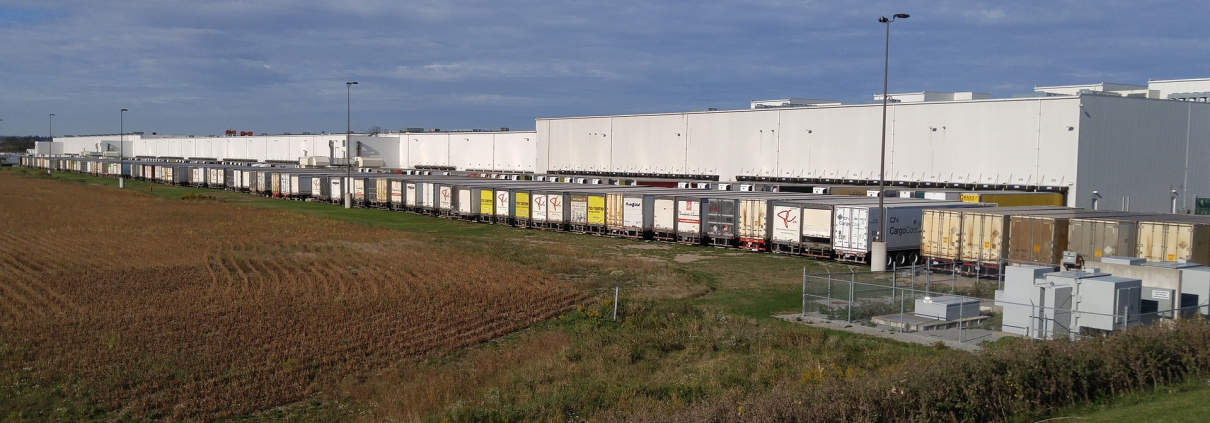
An industrial distribution center – one of the more popular industrial subproperty types for development today
When to Use the Industrial Development Model?
So, the first question you might have is, in what scenario is it best to use this model? And when is it better to use the All-in-One model?
This model is meant to be used in scenarios where you intend to develop, lease-up, and then either sell or hold long-term an industrial property. The inputs are best suited for warehouse and distribution facilities, although other industrial sub property types are also compatible such as industrial outdoor storage (IOS) and data centers.
The model is well-suited for both merchant build (i.e. develop, lease-up, and sell) and build-to-core scenarios (i.e. develop, lease-up, and hold). It includes the option to incorporate construction financing and various forms of equity, while also including an optional Permanent Debt module that refinances the construction debt for longer term holds.
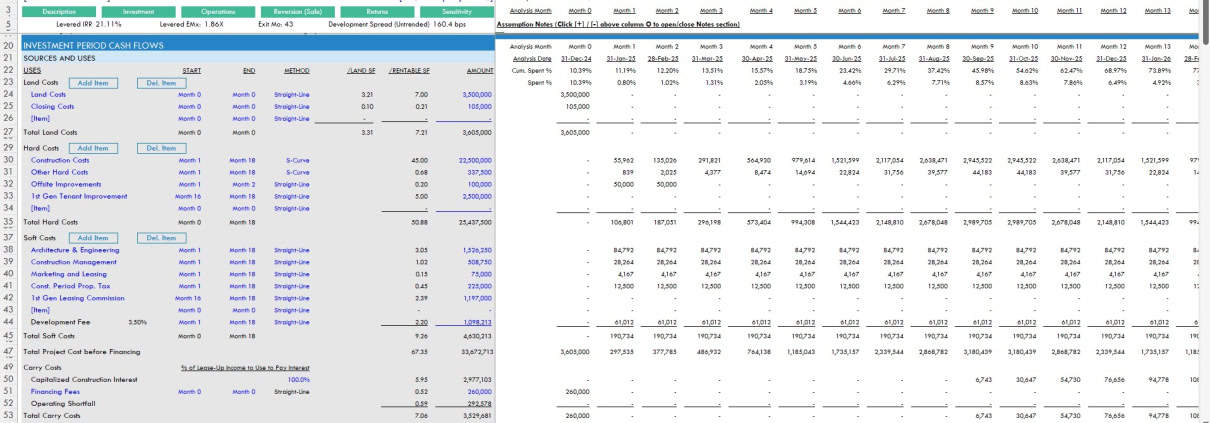
What’s Under the Hood – The A.CRE Industrial Development Model
What’s included in the Industrial Development Model? The model is structured similar to my Apartment Development and Self Storage Development models. So, if you’ve used either of those models, you’ll be very comfortable using this model.
The main differences between the aforementioned models and this model, is in the Operating Period Cash Flow section. Given the nature of the tenant is different, the operating cash flow section is quite different. Otherwise, the other sections of the model are quite similar.
This model likely still contains errors. If you spot an error, have a feature request, or would like to make a suggestion to improve the model, please let me know.
Version Tab (Visible by default)
The model opens initially to this tab so you can see what changes have been made in the most recent version of the model. On this tab you can also find links to model tutorials, guides, support, and other information.
Underwriting Tab (Visible by default)
The Underwriting tab is where all of your primary inputs are entered. The tab is broken up into six sections, built from top to bottom. The sections can be accessed either by scrolling down to each or using the buttons along the top of the screen. The six sections are ‘Description’, ‘Development’, ‘Operations’, ‘Reversion (Sale)’, ‘Returns’, and ‘Sensitivity’.
Summary Tab (Visible by default)
While the return metrics levered IRR, levered EMx, and Development Spread are shown along the top of the Underwriting tab, the bulk of the risk and return metrics are shown/visualized on the Summary tab. The summary tab also includes six charts, a strengths/weaknesses section, a frame to include a picture/map, and a summary of the investment. The Summary tab is meant to be printed, and as such the view mode is set to Print Preview by default.
Annual Cash Flows (Hidden by default)
The Annual Cash Flows tab rolls up the monthly cash flows to annual periods, so you can view high-level cash flows on one page. The report is printable. You can access the report by pressing the ‘Show’ toggle on the Summary tab within the Property Cash Flow section.
Data Tab (Hidden by default)
Some basic backend settings are housed in a Data tab. These settings are related to the s-curve development cash flow forecasting module, date and period headers, data validation lists, and may include other settings as the model evolves.

Guides and Tutorials for Using the Industrial Development Model
Below you’ll find a video for how to use the of the model. This walk through is based on the initial release version of the model. I’ve since followed up with additional videos that describe the new features that have been added to the model since the initial release.
Latest Updates to the Industrial Development Model
Below you’ll find a video where I talk through the major updates to this model from v0.1 (the initial release video above), through v2.1 where I add a Permanent Debt (i.e. long-term hold) module.
Below you’ll find a video where I talk through the major updates to this model from v2.1, through v2.8 where I add the Cash Flow drop module (i.e. Argus drop) module.
Using the AI Skill for this Industrial Development Model
This model is now AI-Ready. Along with the Excel file, your download includes a Claude Skill that teaches AI assistants like Claude how to operate this specific model on your behalf — identifying your role and exit strategy (merchant-build or build-to-core), reporting the six toggle states upfront, populating development budget, tenant lease-up, and financing inputs from a land PSA, GC bid, or loan term sheet you share, and interpreting Development Spread, Yield-on-Cost, and IRR in the language of your investment decision.
If you’re new to Claude Skills, an AI Skill is a packaged set of instructions that an AI assistant loads alongside your file. It teaches the AI things it wouldn’t otherwise know. In this case, every input cell across the Underwriting tab, the five user roles the model serves, the two-layer C279 convergence check, and the mechanics behind the draw curves, interest reserve, and waterfall structures.
For a primer with a video tutorial, see our practical guide to Claude Skills.
Your download now includes three files: the Excel model, the AI Skill (.skill file), and a short README explaining how to use them together. The Skill bundle includes a clean copy of the model — no upload needed to get started with Claude.
Try our Industrial Development Model Helper Custom GPT
To further help you get oriented with the model, we’ve created a custom GPT that has been trained on the nuances of the model. Note that you’ll need a ChatGPT account to use this AI tool:
- Click here to use the ‘Industrial Development Model Helper by A.CRE’ GPT
Compatibility
This version of the model is only compatible with Excel 2013, Excel 2016, and Excel 365.
Download the A.CRE Industrial Development Model
To make this model accessible to everyone, it is offered on a “Pay What You’re Able” basis with no minimum (enter $0 if you’d like) or maximum (your support helps keep the content coming – typical real estate development models sell for $100 – $300+ per license). Just enter a price together with an email address to send the download link to, and then click ‘Continue’. If you have any questions about our “Pay What You’re Able” program or why we offer our models on this basis, please reach out to either Mike or Spencer.
We regularly update the model (see version notes). Paid contributors to the model receive a new download link via email each time the model is updated.
Frequently Asked Questions about the Industrial Real Estate Development Model
Version Notes
v2.9
- AI Skill (v2.9) created for this model
- No cell-layout changes from v2.88; version bump for the AI Skill release
v2.88
v2.87
v2.86
v2.85
- Resolved a VBA issue affecting Management Fee recalculation when adding new operating expense items
v2.84
- Created custom GPT in ChatGPT (i.e. a pre-trained AI) trained on the nuances of this model to help you get started using the model
- Misc. placeholder value updates
v2.831
- Updated ‘Expense Growth’ section to remove unnecessary Management Expense Growth assumption and recalculate avg.
v2.83
- Added Dynamic Sensitivity Summary on ‘Summary’ tab
- Dropdown added to ‘Summary N32’ to choose what Sensitivity variable to display
- Added ‘Sensitivity’ summary calculation starting in row 229 of Underwriting tab, from which information on Summary tab is pulled
- Replaced ‘Inc. Growth’ with ‘Operations Begin Month’ for ‘Sensitivity #3’
- Misc. placeholder value updates
v2.82
- Fixed OFFSET() formula in I151:I166; the formula was erroneously starting one month prior to Reversion End Month
v2.81
- Fixed Delete Tenant, Add OpEx, and Delete OpEx buttons
v2.8 (Major Update)
- Built a new Cash Flow Drop module (i.e. Argus cash flow drop feature) into the Operating Cash Flow section
v2.7
- Fixed ‘Sgl Promote’ and ‘Dbl Promote’ buttons
- Built a ‘Rent Step’ module to allow rent growth at a frequency other than Annual
v2.6
- Created Add/Delete OpEx line item logic
v2.5
- Created a Residual Land Value tool