

An AI Skill for the A.CRE Multi-Tenant Industrial Acquisition Model
We’re working through a project to make our library of Excel models AI-ready. The idea is to pair every A.CRE Excel model with an AI Skill for CRE: a packaged set of instructions and reference files that teaches an AI assistant how to operate that specific real estate model on your behalf. This post introduces the AI Skill we built to accompany the Multi-Tenant Industrial Acquisition Model.
Think of this as a sister post to the Multi-Tenant Industrial Acquisition Model post, which walks through the model itself: its tabs, inputs, outputs, and mechanics. If you haven’t seen that one yet, start there. This post focuses on the AI Skill: what it does, how it works, and how to use it.
While we call these Claude Skills (or AI Skills, or Agent Skills), the instructions inside the Skill are largely platform-neutral. You can use the Skill with Claude, ChatGPT, Gemini, or any other capable AI assistant, including inside Excel with Claude in Excel or ChatGPT in Excel.
What is an AI Skill?
If you’re new to the concept, an AI Skill is a packaged set of instructions and reference files that an AI assistant loads alongside your file. It teaches the assistant things it wouldn’t otherwise know. In this case, that means every input cell, every output, how the nine tabs connect, and the modeling discipline behind underwriting a multi-tenant industrial acquisition.
The result is an AI assistant that can actually operate the model on your behalf, rather than one that talks about industrial underwriting in the abstract.
For a primer with a short video tutorial, see our practical guide to Claude Skills.
What the AI Skill Does for You
A multi-tenant industrial deal has a lot of moving parts: a rent roll with suites rolling at different times, recovery structures that vary by lease, a capital plan, reserves that have to cover the lease-up, floating-rate debt, and a GP/LP waterfall. The Skill handles several jobs you’d otherwise do by hand.
Starting with Your Role
The Skill begins by working out which side of the deal you’re on: an acquisitions analyst or sponsor underwriting a purchase, a sponsor structuring a JV, an LP re-underwriting a sponsor’s deal, a lender, or a student working through the model. That choice shapes which inputs it asks about first and which outputs it puts in front of you.
Setting Up the Rent Roll
Upload a rent roll, an OM, or lease abstracts, and the Skill pulls each suite’s square footage, lease dates, starting rent, escalations, and recovery structure, then maps up to 25 suites onto the Rent Roll tab with the right recovery profile and market leasing profile. It shows you the mapping first, and nothing is written to the workbook until you confirm.
Populating the Budget and Debt Inputs Conversationally
Describe the deal in plain English (purchase price, capital plan, loan terms, equity split, and promote structure) and the Skill stages the inputs on the Underwriting tab, then reruns the circularity plugs so the loan amount, LP equity, and reserves stay in sync.
Checking Assumptions Against the Market
If you have the CRE Agents connector turned on, the Skill pulls current rates and the SOFR forward curve, submarket and employment data, underwriting benchmarks, the subject’s property record, site risk, and area demographics into the Market tab, and logs every pull on the Data Sources tab. Without the connector, it works only from data you provide. Either way, market data never overwrites your model inputs on its own: the Skill compares your underwritten rents to the lease comps, your basis to the sale comps, and your assumptions to the benchmarks, and the SOFR curve only moves into the Underwriting tab after you confirm.
Catching Common Mistakes
Before it reports a single number, the Skill solves the Total Uses plug with Goal Seek and confirms the model’s checks: sources less uses equals zero, the loan balance, maturity, and refinance checks pass, the annual cash flow ties to the monthly, and the waterfall checks are clean. It also flags the mistakes that most often slip into an industrial model: rents entered as annual figures instead of $/SF per month, a loan spread entered as a percent instead of basis points, a stale stabilized year, an exit year past Year 9 (the model needs 12 forward months of NOI), vacancy counted twice, promote hurdles out of order, and an operating shortfall the reserves don’t cover.
Interpreting the Outputs
The Skill reads the Summary tab the way an investment committee would: basis versus comps, the spread between stabilized yield on cost and exit cap rate, lease-up reserve coverage, DSCR and debt yield at stabilization, and returns at the property, LP, and GP level. It explains the concepts that trip people up, such as the difference between stabilized yield on cost and going-in cap rate, how a partnership-paid promote works, and why rollover is probability-weighted. It can also walk you through the sensitivity tables and draft the investment thesis and key risks.
Operating Contexts (Chat or Claude in Excel)
The Skill works in two environments. In a Claude chat or Cowork session, Claude operates the model through code execution, starting from a clean copy of the model that ships inside the Skill, so there’s nothing to upload (or you can upload your own working copy and it will switch to that). Or, if you’re using Claude in Excel, Claude can read and write to the workbook live. The Skill handles both, adjusting the mechanics under the hood. It is also portable to other AI assistants, though the integration may be lighter.
Before Using This AI Skill with the Multi-Tenant Industrial Acquisition Model
Who this Skill is for. This Skill is built for real estate professionals with a strong grasp of financial modeling and industrial underwriting, ideally graduates of our A.CRE Accelerator real estate financial modeling program.
What it doesn’t cover. The Skill operates this model as built: one multi-tenant industrial property with up to 25 suites and an exit no later than Year 9. It doesn’t handle portfolios, ground-up development, mezzanine debt or preferred equity, rate caps, or after-tax returns.
AI assistants make mistakes, and the Skill assumes the professional on the other side will catch them. Treat its output the way you’d treat work from a sharp junior analyst: useful and fast, but always verified before it goes into a memo.
A Note on the Underlying Model
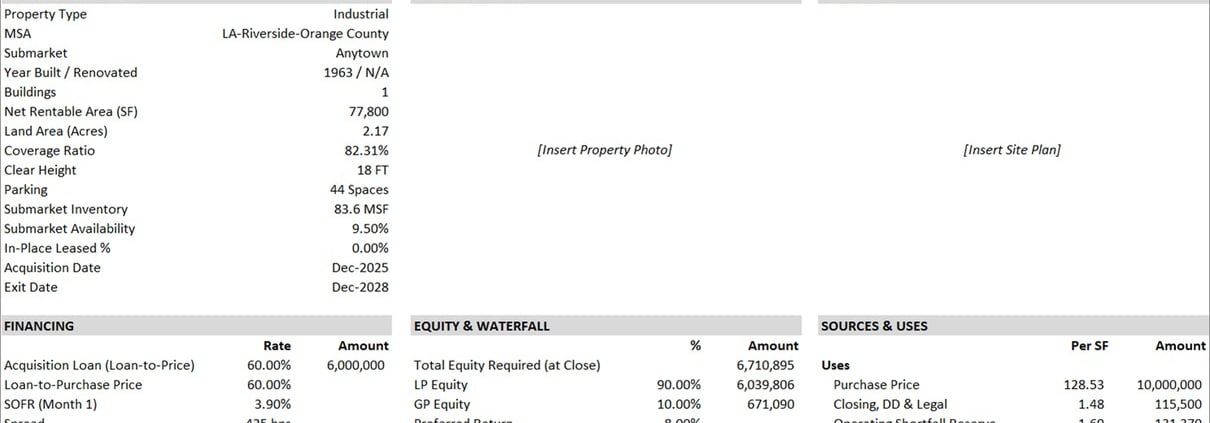
Briefly: the model underwrites the acquisition of an existing multi-tenant industrial property on a monthly basis. It tracks each suite separately with market leasing and recovery profiles, funds a value-add capital plan and lease-up reserves, includes a floating-rate acquisition loan with an optional refinance, and splits cash flow through a GP/LP waterfall with up to five tiers. The full walkthrough is on the Multi-Tenant Industrial Acquisition Model page.
Note: This AI Skill is built for v1.0 of the model. If you have a different version, the Skill will flag the mismatch, and you’ll want the current version of both the model and the Skill for the best experience.
Video Walkthrough – Using the AI Skill with the Multi-Tenant Industrial Acquisition Model
We’re working on a tutorial video showing the AI Skill in action. Coming soon.
Download the Multi-Tenant Industrial Acquisition Model + AI Skill
To make this model accessible to everyone, it is offered on a “Pay What You’re Able” basis with no minimum (enter $0 if you’d like) or maximum (your support helps keep the content coming – typical real estate valuation models sell for $100 – $300+ per license). Just enter a price together with an email address to send the download link to, and then click ‘Continue’. If you have any questions about our “Pay What You’re Able” program or why we offer our models on this basis, please reach out to either Mike or Spencer.
Your download includes three files: the Excel model, the AI Skill (.skill file), and a short README explaining how to use them together.
We regularly update both the model and the AI Skill (see version notes). Paid contributors receive a new download link via email each time either is updated.
Frequently Asked Questions about the AI Skill for the Multi-Tenant Industrial Acquisition Model
Version Notes – AI Skill
Version 1.0
- Initial release of the AI Skill for the Multi-Tenant Industrial Acquisition Model
- Paired with v1.0 of the Excel model
- Supports Claude chat and Cowork (with a clean copy of the model bundled in the Skill) and Claude in Excel
- Portable to other capable AI assistants (ChatGPT, Gemini, etc.) via the SKILL.md file