

• Link to Facebook
  • Link to Youtube
  • Link to LinkedIn
  • Link to X
  • Link to Tiktok
  • Link to Instagram
  • EN ESPAÑOL
    • Inicio
    • Glosario de Términos
    • Modelos Financieros
    • Tutoriales Cortos
  • A.CRE HELP
    • Support Section
    • Contact Us
  • LOGIN/REGISTER
  • Shopping Cart Shopping Cart
    0Shopping Cart
Adventures in CRE
  • A.CRE
    • A.CRE Home
    • A.CRE Help
    • Accelerator
      • Learn More
      • Login
    • AI.Edge
      • Learn More
      • Login
    • Artificial Intelligence
    • Careers
    • CRE Event Calendar
    • CRE Job Board
    • Education
    • Library of Excel Models
    • Meet the A.CRE Team
  • RE Modeling
    • 1031 Exchange
    • Audio Series
    • All-in-One (Ai1) Model
      • Download
      • Guides and Tutorials
      • Support
    • Ask Me Anything (Live)
    • Beginner’s Guide to Excel
    • Excel Models
      • Excel Add-ins
      • Library of Excel Models
      • All-in-One (Ai1) Model
      • Apartment
      • Condo
      • Debt
      • Development
      • Equity Waterfall
      • Hotel
      • Industrial
      • Office
      • Portfolio
      • Retail
      • Single Family
      • Tutorial
    • Excel Tips
    • Practice Library of Case Studies
    • Stochastic Modeling
    • Argus
    • My Downloads / My Account
  • Careers
    • About Careers in Real Estate
    • Ask Me Anything (Live)
    • Audio Series
    • Compensation in Real Estate
    • CRE Job Board
      • Find a Job
        • Browse Jobs
        • Post a Resume
        • Register
        • Login
      • Post a Job
    • CRE Event Calendar
    • CRE Interviews
    • Day in the Life Series
    • Real Estate Legal Content
    • What CRE Pros Do
  • Education
    • Accelerator
    • AI.Edge
    • A.CRE 101
    • Ask Me Anything (Live)
    • A.CRE Audio Series
    • Audio Series
    • Book Reviews
    • CRE Event Calendar
    • Deep Dive Series
    • Glossary of CRE Terms
    • Real Estate Legal Content
    • Real Estate Clubs
    • University Profiles
    • Watch Me Build
  • AI
    • AI Skills
    • AI Use Cases in CRE
    • AI for CRE Training
    • AI Tools for CRE
    • AI.Edge Membership
      • Learn More
      • Login
  • Accelerator
    • Accelerator Reviews
    • Accelerator Story
    • Enroll Now
    • Learn More
    • See What’s New
    • Enterprise Members Only
      • General Enterprise Login
      • ICSC Login
      • M&M Login
    • Members Only
      • Extend/Renew Membership
      • Login
      • Manage Membership
  • My Downloads
    • View My Downloads
    • Find an Excel Model
    • Register
    • Login
  • Click to open the search input field Click to open the search input field Search
  • Menu Menu
You are here: Home1 / Glossary of Commercial Real Estate Terms2 / Rentable Area
A.CRE
English

Rentable Area

Rentable area is the area within a building to which a landlord can charge rent. This includes the tenants’ private and/or exclusive use space, as well as the building’s common areas.

Tenants usually pay rent for their exclusive space plus a share of the common area. A tenant’s rentable area calculation is commonly calculated by multiplying their usable space by the building’s load factor.

Usable Area + Common Area = Rentable Area
Putting “Rentable Area” in Context

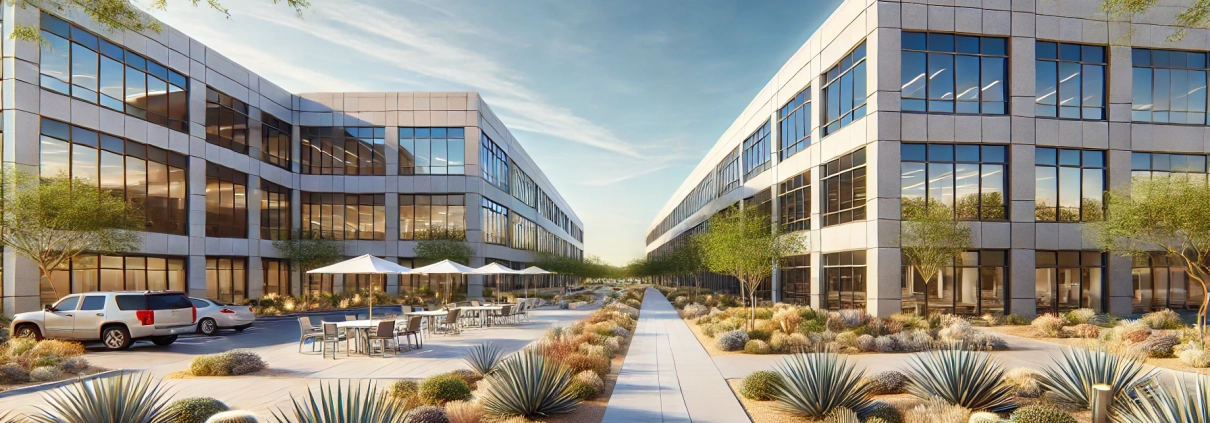
Horizon Equity Partners, a real estate private equity firm, recently acquired Desert Ridge Office Park, a suburban office property located in Phoenix, Arizona. The property consists of two Class A office buildings totaling 100,000 square feet of rentable area. Desert Ridge Office Park features modern amenities, including a shared lobby, conference rooms, and a fitness center, all considered part of the common areas.

Rentable Area Breakdown

One of the major tenants at Desert Ridge Office Park is a regional tech firm occupying 20,000 square feet of usable space. In addition to this exclusive space, the tenant shares responsibility for common areas such as hallways, elevators, and restrooms.

The property manager calculates the building’s load factor at 1.15. This load factor means that for every square foot of usable area, tenants are charged an additional 15% to account for their proportional share of the building’s common areas.

The calculation of the tenant’s rentable area is as follows:

  • Usable Area: 20,000 SF
  • Load Factor: 1.15
  • Rentable Area Formula: Usable Area × Load Factor
  • Rentable Area: 20,000 SF × 1.15 = 23,000 SF

Thus, the tenant pays rent based on 23,000 square feet, covering both its exclusive use space and a share of the common areas.

Importance of Rentable Area

Understanding the distinction between usable and rentable area is crucial for both landlords and tenants. From a landlord’s perspective, the rentable area is the basis for revenue generation and lease structuring. For tenants, clarity on the rentable area ensures they understand the total cost implications of leasing space, including shared amenities.

In this hypothetical scenario, Horizon Equity Partners ensures the load factor is competitive with comparable properties in the Phoenix market to attract and retain tenants, while maximizing the property’s revenue potential.


Frequently Asked Questions about Rentable Area in Commercial Real Estate

What is Rentable Area?

Rentable area is the total area for which a landlord can charge rent, including both a tenant’s exclusive usable area and their share of common areas like lobbies, restrooms, and hallways.

How is Rentable Area calculated?

Rentable Area = Usable Area × Load Factor.
For example, a tenant with 20,000 SF of usable area and a 1.15 load factor would have a rentable area of 23,000 SF.

What is a Load Factor?

The load factor represents the ratio of shared/common space to usable space. It determines how much of the building’s common areas are proportionally allocated to each tenant’s rentable area.

Why does Rentable Area matter to tenants?

Tenants pay rent based on rentable area, not just their private space. Understanding this metric helps them assess the total leasing cost and value of shared amenities.

How does Rentable Area impact leasing revenue for landlords?

Rentable area is the basis for calculating rent, so increasing it (via a higher load factor or efficient use of common areas) directly increases leasing revenue for landlords.

What was the Rentable Area of the tenant in Desert Ridge Office Park?

The tenant had 20,000 SF of usable area. With a 1.15 load factor, their rentable area was calculated as:
20,000 SF × 1.15 = 23,000 SF.

How does Horizon Equity Partners use Rentable Area to stay competitive?

They ensure the load factor remains competitive with other properties in the Phoenix market, balancing revenue potential with tenant cost sensitivity to attract and retain tenants.


Related Content:
  • Glossary: Warm Shell
  • All-in-One (Ai1) Walkthrough #8 – Tenancy Analysis Report for Office, Retail, and Industrial
  • Glossary: Building Owners and Managers Association
  • All-in-One (Ai1) Walkthrough #10 – Underwriting a Value-Add Office Investment
  • Glossary: Cold Shell
https://mmiuniversity.adventuresincre.com/wp-content/uploads/2023/08/Rentable-Area.wav

Click here to get this CRE Glossary in an eBook (PDF) format.
by A.CRE
Share this entry
  • Share on X
  • Share on LinkedIn
  • Share by Mail
  • Link to Instagram
  • Link to Youtube
https://adventuresincre.com/wp-content/uploads/2022/04/logo-transparent-black-e1649023554691.png 0 0 A.CRE https://adventuresincre.com/wp-content/uploads/2022/04/logo-transparent-black-e1649023554691.png A.CRE2024-12-07 04:39:332025-07-05 01:04:28Rentable Area

Featured Content

  • RE Financial Modeling Accelerator
  • A.CRE Job Search
  • Library of Real Estate Excel Models
  • Real Estate Financial Modeling
  • Real Estate Education
  • Real Estate Careers
  • AI in Real Estate

Recent Posts

  • A.CRE Apartment Development Model (Updated June 2026)
  • Mejora tu Desempeño en Excel con el Complemento “Excel 4 CRE” (Actualizado Junio 2026)
  • Nuevo Contenido en Español (Actualizado Junio 2026)
  • ¡Lanzamiento del Complemento “Excel 4 CRE” Completamente en Español! (Actualizado Junio 2026)
  • An AI Skill for the A.CRE Commercial Mortgage Loan Analysis Model
Accelerator - Learn More

Search Adventures in CRE

Search Search

Have a Question or Need Help?

Visit our Help Section

Contact Adventures in CRE

  • Visit A.CRE Help
  • Via Email
  • Via LinkedIn

You Might Also Like

  • Real Estate Modeling Courses
  • Real Estate Financial Modeling
  • A.CRE Job Board
  • Careers in Commercial Real Estate
  • Real Estate Education

A.CRE Library of Excel Models

  • Browse Excel Models
  • Login/Register
  • View My Downloads
  • Edit Account Details

Terms, Policies, and Disclaimer

  • Privacy Policy
  • Cookie Policy
  • AI Usage Policy
  • Terms of Use
  • Disclaimer
© 2014 - Present - Copyright - www.AdventuresinCRE.com, LLC | Adventures in CRE | A.CRE
  • Link to Facebook
  • Link to Youtube
  • Link to LinkedIn
  • Link to X
  • Link to Tiktok
  • Link to Instagram
Link to: Present Value Link to: Present Value Present Value Link to: Soft Costs Link to: Soft Costs Soft Costs
Scroll to top Scroll to top Scroll to top