
AI Tools for Commercial Real Estate (Fall 2026 Edition)
We’ve spent the last few years testing, teaching, and building with AI in commercial real estate, and this post is where we keep track of the tools that matter. It started as a list. This Fall 2026 edition is organized differently, because the way CRE professionals get real work out of AI has changed.
The best AI tools for commercial real estate now work together as a stack. You pick a harness (the app you work in, like Claude or ChatGPT), you choose the model that does the thinking, you connect it to your systems, and you give it the CRE knowledge it doesn’t have on its own: agent skills that encode how our industry does the work, and real estate data it can pull from. Then you review what it produces. That’s an AI tech stack, and the first half of this post walks through each layer with the tools we think are worth your time.
The second half is our list of legacy AI solutions: standalone point solutions that do one job in their own app. Many of them are still useful. They just sit outside the stack.
We update this post at least quarterly, and we add and remove tools based on adoption, continued development, and new releases.
Note from Spencer and Michael: We provide this post as a service and don’t endorse any of the tools listed here. Spencer is the co-founder and CEO of CRE Agents, a company that makes AI fluent in commercial real estate, and A.CRE runs AI.Edge, the industry’s leading AI educational community for CRE. We’ve tried to give every tool here a fair airing, and where our own products fit a layer of the stack, we say so plainly. If you have an AI tool you’d like added to this post, shoot us a note and we’ll consider whether it’s relevant.
What changed in the Fall 2026 edition
- The whole post is now organized around the AI tech stack: harness, model, connectors, knowledge, and you.
- Anthropic refreshed its lineup: Claude Fable 5.1 (early September) and Claude Opus 5.5 (September 22), which Anthropic says matches Fable on most work at $4/$20. Sonnet 5’s $2/$10 pricing is now permanent.
- OpenAI moved to GPT-6: Astra (September 3) is the new flagship, and Sol and Luna (September 22) replace the GPT-5.6 tiers at roughly half the price.
- Google released Gemini 3.8 Flash (September 2), stepped back from Gemini 3.5 Pro, and moved Gemini 4 into post-training. SpaceXAI released Grok 4.7 (September 21), and Meta’s Muse Spark reached version 1.3.
- New open-weight releases include Qwen3.8-27B, DeepSeek V4.1 Flash, GLM-5.3, Meta’s Muse Glimmer, and NVIDIA Nemotron 3.5 Lightning.
- Microsoft 365 Copilot and Gemini in Google Workspace both added MCP connections to outside business tools, so Excel, Sheets, Outlook, and Gmail can now reach systems like Salesforce, HubSpot, and QuickBooks.
- More AI now runs inside Excel. Claude for Excel, ChatGPT for Excel, Endex, and Shortcut AI all work directly in the workbook.
- Commercial real estate data providers are publishing their own MCP servers, including Green Street, MSCI Real Assets, Yardi Matrix, ATTOM, Regrid, and Moody’s. That makes it possible to plug licensed CRE data straight into Claude or ChatGPT.
- Yardi launched a Virtuoso connector for Claude, one of the first property management systems an AI agent can act inside.
- Point solutions moved to their own section, Legacy AI Solutions for Commercial Real Estate, with each tool rechecked.
In this guide
- What is an AI tech stack for commercial real estate?
- Layer 1: AI harnesses
- Layer 2: AI models (LLMs) for CRE
- Layer 3: AI connectors and MCP
- Layer 4: AI knowledge (agent skills and real estate data)
- Layer 5: You
- How to build your AI tech stack
- Example AI stacks by CRE role
- AI courses and training for real estate
- Legacy AI solutions for commercial real estate
- Frequently asked questions
Want to learn this with a group of CRE professionals doing the same thing? Join AI.Edge, the leading AI course for commercial real estate and community for top CRE professionals. You’ll learn practical workflows, build real skills, and become the go-to AI person in your firm.
What Is an AI Tech Stack for Commercial Real Estate?
An AI tech stack is the set of software layers that, together with a person, make up an AI agent. When people talk about AI agents for commercial real estate, this is what they mean in practice: four pieces of software plus the professional who directs them.
- Harness: the application you open to work with AI. It handles files, memory, browsing, code execution, and the ability to call tools. Claude, ChatGPT, and Microsoft Copilot are harnesses.
- Model: the large language model (LLM) that does the reasoning. Claude Opus 5.5, GPT-6, and Gemini 3.8 Flash are models.
- Connectors: the links between your AI and your systems, like email, files, your CRM, and your property management software. Most now run on MCP, the Model Context Protocol.
- Knowledge: what your AI knows how to do and what it can look up. That means agent skills, which package CRE methodology so the AI follows it every time, and data, which covers your own internal data plus public and licensed real estate datasets.
- You: the human in the loop who decides what the output means.
Regular AI use is now the expected baseline in a growing number of CRE firms. What separates the professionals getting real results is how well they assemble these layers. A frontier model in a bare chat window, with no access to your files, no CRE methodology, and no market data, will give you a generic answer. The same model in a harness connected to your deal folder, running an underwriting skill, with rent comps and demographics a tool call away, gives you a first draft you can actually use.
Each layer below maps to a space in the AI Tech Stack section of AI.Edge, where members get short, regularly reviewed profiles of each tool. This post gives you the public overview.
Layer 1: AI Harnesses (Where CRE Work Gets Done)
The harness is the software you actually open. It decides which models you can use, whether the AI can read your files and browse the web, whether it can call tools through MCP, and whether it can run agent skills. Picking a harness is the first decision in building your stack, and it’s worth picking the one that sits where your work already happens.
Claude for Commercial Real Estate
Most of our industry is working in Claude right now, and it’s where I’d point a CRE professional starting today. Anthropic’s Claude supports MCP connectors and agent skills across nearly every form it comes in, and each form suits a different kind of work:
- Claude (web, desktop, and mobile): the everyday chat app for research, drafting, and analysis.
- Claude Cowork: an agentic workspace that works across your files and tools toward a goal you set. Cowork now runs on web and mobile as well as desktop, keeps working after your laptop closes, and can run scheduled tasks.
- Claude Code: Anthropic’s coding agent for building and maintaining internal tools, data pipelines, and automations.
- Claude for Excel and Claude for PowerPoint: Claude working directly inside your workbook or deck, reading and writing cells and slides.
- Claude in Chrome: Claude reading the page you’re on and clicking, typing, and filling forms in portals your other tools can’t reach.
- Claude Tag: Claude inside selected Slack channels for Team and Enterprise plans, where you can delegate work with @Claude.
Claude is smart, but out of the box it doesn’t know CRE process or have access to CRE data. That’s the gap tools like Claude for commercial real estate from CRE Agents fill, which I cover in the knowledge layer below.
ChatGPT for Commercial Real Estate
OpenAI’s summer releases moved ChatGPT from a chat window into a broader work platform. ChatGPT Work can research across connected apps, files, and the web, stay with a project for hours, and produce finished spreadsheets, presentations, documents, and web apps. Plugins connect it to Slack, Teams, Drive, SharePoint, email, calendars, CRMs, and project trackers, and Scheduled Tasks can run once, repeat, or respond to events, with approvals before sensitive actions.
- ChatGPT for Excel and Google Sheets: spreadsheet-native sidebars that build, update, explain, and audit multi-tab workbooks. They’re now generally available for Enterprise and Edu workspaces. They don’t fully support VBA or macros, so review the output.
- Codex: OpenAI’s coding agent, now built into ChatGPT Work and the desktop app. OpenAI reported more than five million weekly users in June, including more than one million outside software development.
The same point applies here as with Claude: ChatGPT gets far more useful in real estate once it has CRE methodology and data behind it. ChatGPT for commercial real estate through CRE Agents is one way to get there. For the basics, see our guide to using ChatGPT in CRE.
Microsoft Copilot, Gemini, Grok, and Other Harnesses
- Microsoft 365 Copilot: Copilot Chat comes free with a Microsoft 365 account, and paid licenses add Copilot in Excel, Copilot in Word, Copilot in Outlook, PowerPoint, and Teams. It’s the natural choice for firms standardized on Microsoft. MCP-based agents now work directly inside Word, Excel, PowerPoint, and Outlook once your admin enables them. CRE Agents also works inside Copilot.
- Google Gemini and Gemini in Google Workspace: Google’s assistant as a standalone app and inside Gmail, Docs, Sheets, and Drive. As of September, Gemini in Workspace connects over MCP to tools like Salesforce, HubSpot, QuickBooks, Asana, and monday.com.
- Grok bot: xAI’s team of AI assistants, with Office and Google Workspace integrations and Automations that run on a schedule or when a matching email arrives.
- Perplexity: an answer engine that researches the web and cites sources. CRE teams use it for market intel alongside a primary harness.
- Manus: a general-purpose agent that turns a written brief into finished spreadsheets, slides, and reports.
AI Tools for Excel and Google Sheets
For CRE, this is the in-app harness that matters most, because so much of our work lives in a spreadsheet. These tools put an AI agent inside the workbook itself. For a wider roundup, see our guide to the best AI tools for Excel and our take on financial modeling with AI. The main options:
- Claude for Excel: Anthropic’s add-in that brings Claude models natively into Excel for in-sheet modeling, sourcing, and audited outputs.
- ChatGPT for Excel and ChatGPT for Google Sheets: OpenAI’s spreadsheet sidebars (see above).
- Copilot in Excel: Microsoft’s built-in assistant for analysis, formulas, and visualizations.
- Endex: an Excel-native AI agent that builds, checks, and analyzes financial models, sold to enterprise teams.
- Shortcut AI: a finance agent that runs in Excel and on the web to build models, check formulas, clean data, and create charts.
- Excelente: A.CRE’s open-source AI harness inside Excel, which gives an agent the full context of your workbook. AI.Edge Pro members, A.CRE Accelerator members, and CRE Agents clients get a monthly allotment of AI tokens.
Lighter-weight formula helpers, including our own Excel 4 CRE Add-in, are listed in the legacy section below.
AI Coding Platforms and Tools (Vibe Coding for CRE)
These tools let CRE professionals build software without being software engineers. Sometimes called vibe coding platforms, they turn plain-language instructions into working apps, scripts, and internal tools. Here’s how I built a real estate DCF web app with AI in about five minutes. There are two kinds.
Coding harnesses work inside a codebase and suit anyone comfortable in a terminal or code editor:
- Claude Code: Anthropic’s coding agent that reads your repo, edits files, runs commands, and handles long-running work.
- OpenAI Codex: OpenAI’s coding agent, available in ChatGPT, the desktop app, and as a terminal CLI.
- Cursor: an AI-first code editor where an agent can plan, edit, and run code across your project.
- GitHub Copilot: Microsoft’s coding agent in VS Code, JetBrains IDEs, and GitHub.
- Pi: a free, open-source terminal coding agent that works with the model provider of your choice.
App builders go from a prompt to a hosted app, with no local setup:
- Lovable: full-stack web apps with a database, authentication, and one-click deploy.
- Replit: a browser-based builder that lets non-technical staff build and publish internal tools.
- v0: Vercel’s builder that turns prompts into production React code.
- Bolt: StackBlitz’s in-browser agent that builds, previews, and deploys full-stack apps.
- Gemini Canvas: Google’s in-chat workspace for turning a conversation into a doc, deck, or simple app. Good for quick prototypes.
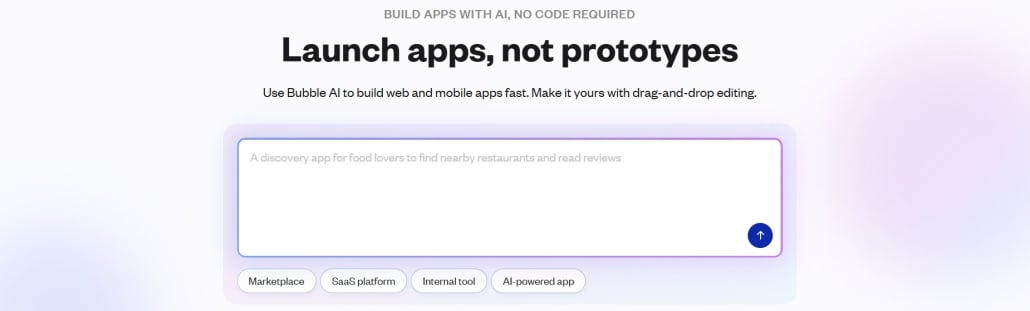
- Bubble: a no-code platform for full-stack web and mobile apps, with AI-assisted prompting and visual logic.
- Glide: turns spreadsheets and databases into mobile apps, dashboards, and business portals.
AI Agentic Platforms and Agent Builders
AI agentic platforms are environments for building, deploying, and running autonomous AI agents across multi-step workflows. Where a chat harness waits for your next message, an agent builder lets you set up an agent once and have it run on a trigger or a schedule. These are horizontal platforms, built for any industry, and CRE teams use them to automate comp scraping, lease parsing, CRM syncing, and reporting.
- n8n: a low-code automation platform, self-hostable, that connects your CRM, email, spreadsheets, and property systems.
- Gumloop: a no-code platform for AI agents and automations across everyday work tools.
- Relevance AI: a platform for building AI teammates that run multi-step work.
- Lindy: AI teammates that answer questions and complete tasks across your connected tools, including from Slack.
- Pipedream: an integration platform that gives AI agents access to thousands of app tools and APIs.
- Beam AI: multi-agent workflows that automate cross-system business processes.
- Salesforce Agentforce: AI agents that act on Salesforce CRM data. A fit for CRE firms already running Salesforce.
- Microsoft Copilot Studio and Copilot agents: Microsoft’s tools for building agents that act on Microsoft 365 data.
- Google Gemini Enterprise Agent Platform (formerly Vertex AI): Google Cloud’s platform for building and running agents across many models.
AI.Edge members can browse 68 harness profiles in the AI Harness space, sorted by core, self-hosted, open source, model-agnostic, coding, app builder, agent builder, and in-app harnesses.
Layer 2: AI Models (LLMs) for CRE
The model is the large language model doing the reasoning inside your harness. When choosing one, three things matter: raw intelligence, value (intelligence relative to cost), and speed. The rankings on all three change constantly. In AI.Edge, our Model Leaderboard reviews what’s available every night, runs new models through third-party benchmarks, and reranks them. We also explain how we think about the best AI model for real estate. Here’s a live look at the current top five by intelligence:
No public benchmark measures whether a model can read a 4,000-row workbook and find the broken assumption. Use the rankings to narrow the field, then test the finalists on your own work, using a task where you already know the right answer.
Closed-weight models keep their weights private and are delivered through apps, APIs, and managed platforms. They generally offer the strongest product integrations, governance, and enterprise support, which makes them the default for most CRE work. Current as of September 25, 2026:
Anthropic Claude (Fable, Opus, Sonnet, and Haiku)
Inside Claude you choose from four Anthropic models. Claude Fable 5.1, released in early September, is Anthropic’s highest-intelligence generally available tier, built for long-running coding and knowledge work that plans across stages, delegates to subagents, and tests its own work. It’s still $10/$50 per million input/output tokens, but cached reads now cost 75% less, which matters for long agent sessions. Fable still requires 30-day data retention. Claude Opus 5.5, released September 22, replaces Opus 5. Anthropic says it matches Fable 5.1 on most work, and it costs less than Opus 5 did ($4/$20, with a Fast mode at $8/$40). Sonnet 5 remains the everyday default, and Anthropic made its $2/$10 launch pricing permanent. Haiku 4.5 is still the fast, lightweight option, and Anthropic says Sonnet 5.5 and Haiku 5.5 are coming in the next few weeks. Mythos 5.1, the same model as Fable 5.1 with different safeguards, stays restricted to verified cybersecurity and life sciences researchers.
In practice: send simple lookups to Haiku, writing and editing to Sonnet, multi-step work across several tools to Opus, and save Fable for problems where depth pays for itself, like tracing the logic through a large Excel model. With Opus 5.5 this close to Fable, test Opus first.
OpenAI GPT-6 (ChatGPT)
OpenAI moved to a new model generation in September. GPT-6 Astra, released September 3, is the new flagship ($10/$50) and is available on ChatGPT Plus, Pro, Business, and Enterprise, the API, Microsoft Azure, and AWS Bedrock. GPT-6 Sol ($2/$10) and GPT-6 Luna ($0.10/$0.50) followed on September 22, at roughly half the price of the GPT-5.6 models they replace. GPT-6 has no Terra tier. GPT-5.6 is still available, and OpenAI retires GPT-5.5 from ChatGPT and Codex on October 14. See OpenAI’s current API pricing.
Google Gemini
Gemini 3.8 Flash, released September 2, is Google’s current workhorse, with a one-million-token context window at introductory pricing of $0.75/$3.75 through December 31 ($1.50/$7.50 after that). Gemini 3.8 Flash Cyber replaced the 3.5 Flash Cyber pilot and remains restricted to trusted government and critical-infrastructure partners. On September 24, Google said it had stepped back from Gemini 3.5 Pro to focus on Flash models and Gemini 4, which is now in post-training. A new build of Google’s managed Antigravity Agent (September 17) accepts Word, Excel, and PowerPoint files directly in prompts and runs live subagents.
Meta AI and Muse Spark
Muse Spark is Meta’s hosted multimodal reasoning model for agentic work, now on version 1.3 (September 2), with a one-million-token context window. It’s available through the Meta Model API, where developers can connect it to tools, MCP servers, and custom skills. Meta has also turned the Meta AI actions it began rolling out in July into Muse, a personal agent with free and paid tiers. In August it released Muse Glimmer, a 30-billion-parameter open-weight model under Apache 2.0 for on-device agent work.
SpaceXAI Grok
Grok 4.7, released September 21, is SpaceXAI’s current flagship for coding, agentic tasks, and knowledge work. It’s a larger model than its predecessors, with the same 500,000-token context window and the same $2/$6 pricing (higher above 200,000 prompt tokens), plus a rebuilt safety stack. It supports remote MCP tools, and Grok Build, SpaceXAI’s open-source coding agent, now has data retention off by default. Grok 5 hasn’t been released.
Open-Weight Models
Open-weight models can be downloaded, self-hosted, fine-tuned, or served through low-cost providers (see Hugging Face). They’re a credible option for private, high-volume, or on-premises workloads, and here’s how to run an open-weight model locally. The right choice depends on license, hardware, context, and cost per completed task.
- Moonshot Kimi K3: a native multimodal model (2.8 trillion total parameters, one-million-token context) under the custom Kimi K3 License.
- DeepSeek V4 Pro and V4.1 Flash: an MIT-licensed family with one million tokens of context. V4.1 Flash (September 10) adds native image understanding, and V4 Pro remains the option for the hardest agentic work.
- Z.ai GLM-5.2 and GLM-5.3: GLM-5.2 is the last GLM flagship under the MIT license, which makes it one of the cleaner options for commercial deployment and fine-tuning. The newer GLM-5.3 (August) uses a custom Z.ai license at flagship size, while GLM-5.3-Flash is MIT.
- Alibaba Qwen3.8-27B: a dense 27-billion-parameter model under Apache 2.0 (August 14), with a native 262K context window, that’s practical to run locally.
- U.S. open-weight releases: Poolside Laguna S 2.1 (agentic coding, OpenMDW license), Thinking Machines Inkling (Apache 2.0, text, image, and audio), NVIDIA Nemotron 3 Ultra (OpenMDW, infrastructure-heavy), and NVIDIA’s smaller Nemotron 3.5 Lightning, which runs on a single GPU.
Open weights aren’t automatically open source, and they aren’t automatically cheaper once hardware, hosting, security, and monitoring are included. Most firms should route work across model families, using smaller or open models for routine and sensitive workloads and reserving the most expensive frontier models for tasks where the extra capability changes the result.
Layer 3: AI Connectors and MCP for Real Estate
Your model knows nothing about your deals until you connect it to the systems where your deals live. Connectors give your AI the ability to read and act in your email, calendar, files, CRM, project management tools, accounting system, and property management software.
Most connectors now run on the Model Context Protocol (MCP), an open standard for connecting AI applications to outside tools and data. We explain what MCP means for CRE professionals in a separate post. When a vendor publishes an MCP server, any harness that supports MCP can use it. That’s why MCP support is one of the first things to check when you choose a harness.
In Claude, connectors come from three places. Some are built in. Many are in the Claude connector directory, where you switch them on with a click. The rest you add yourself as a custom connector, usually by pasting in the MCP server address the vendor publishes. Here’s how to connect a custom MCP server to Claude.
The connectors that matter most in CRE:
- Email and calendar: Gmail, Google Calendar, Microsoft Outlook, Microsoft Teams (read only through Claude’s Microsoft 365 connector), and Slack.
- Files and documents: Google Drive, Google Sheets, Notion, and DocuSign for sending leases, LOIs, and contracts for signature.
- CRM: Salesforce and HubSpot, both with official MCP servers.
- Property management: Yardi Virtuoso, whose connector lets Claude create, search, and complete work orders and look up properties, tenants, units, and vendors.
- Project management: Asana, monday.com, Jira, Trello, and Linear.
- Finance and accounting: QuickBooks, Xero, and Stripe.
- Automation: Zapier MCP and Make, which let an agent take action across thousands of apps. That covers most legacy CRE systems that will never ship their own AI connector.
- Browser: Playwright MCP gives an agent a real browser for portals with no API.
You’re rarely choosing between competing connectors. The task tells you the system, and the system tells you the connector. Start with the one that removes the most copying and pasting from your week, which for most people is email or files.
Layer 4: AI Knowledge (Agent Skills and Real Estate Data)
Connectors bring in what’s yours. Knowledge brings in what isn’t, and it comes in two kinds: agent skills and data. This is the layer that separates an AI that sounds smart about real estate from one that does real estate work correctly. We covered it in depth in a workshop on how to give AI the CRE intelligence it needs.
Agent Skills for Commercial Real Estate
An agent skill is a methodology written down and packaged so your AI follows it every time without being re-explained. Ask a general AI to reconcile an estoppel against a lease and it will ask you which attributes to compare. Give it a skill for that task and it already knows. Claude runs skills natively, and a growing number of other harnesses support the same Agent Skills standard.
You can get agent skills two ways.
- Build your own. A skill is mostly a well-written set of instructions plus any reference files, and our practical guide to Claude Skills shows you how to set one up. In AI.Edge, the AI Skill of the Week series teaches this one skill at a time, with the file attached. Recent examples include a waterfall translator, a CAM reconciliation analyst, a cap rate selection skill, and an NOI variance analyzer. A.CRE also publishes free AI skills for commercial real estate paired with our Excel models.
- License them. CRE Agents builds CRE agent skills and ready-to-run CRE tasks for investment sales, acquisitions, asset management, development, and investor relations, including deliverables like broker opinions of value, IC memos, development pro formas, and quarterly investor reports.
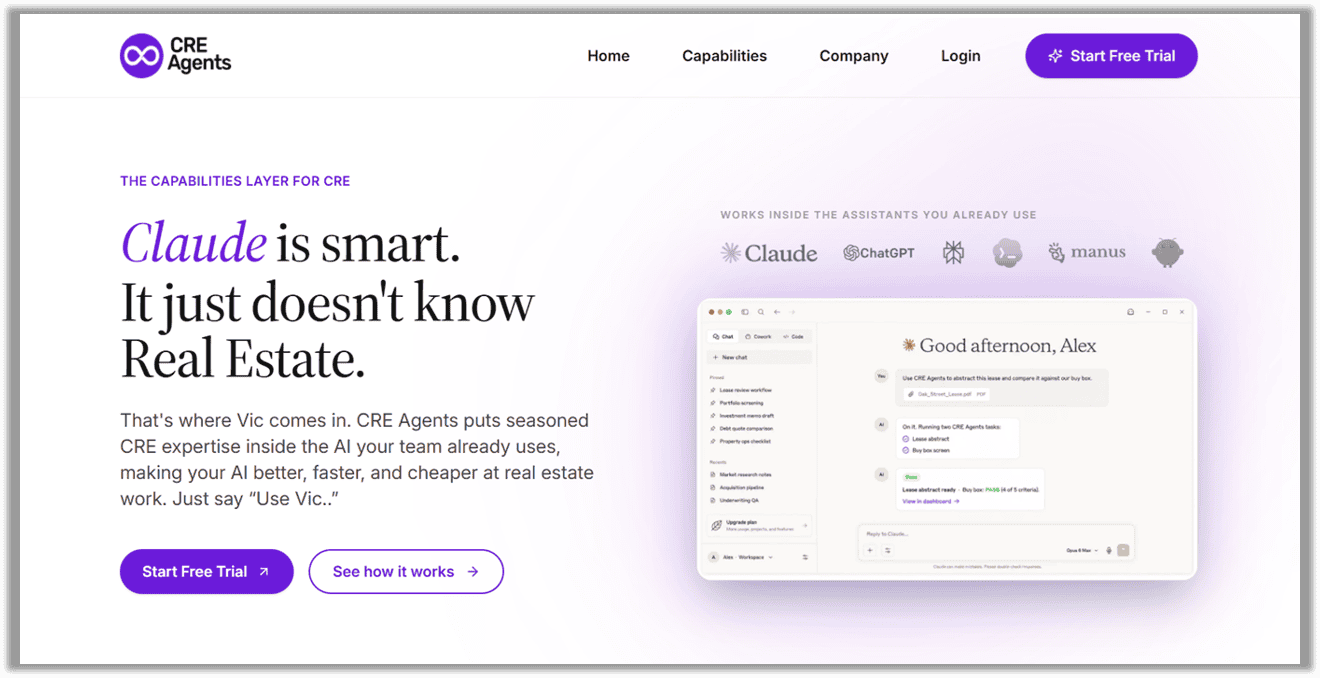
CRE Agents is the capabilities layer for commercial real estate. It connects to Claude, ChatGPT, Copilot, and Perplexity, and gives them CRE agent skills, ready-to-run CRE tasks, and licensed real estate datasets through its Vic connector. You connect once, then say “Use Vic” followed by the task.
Real Estate Data for AI (Datasets You Can Connect to Claude and ChatGPT)
Data is the second kind of knowledge. Sourcing, structuring, and analyzing real estate data used to mean exporting from one platform and pasting into another. Now a growing number of data providers let your AI query them directly over MCP. The data falls into four groups.
- Internal data: your own portfolio, pipeline, comps, and deal history. It lives in systems like Dealpath, Juniper Square, Leni, Yardi Virtuoso, Airtable, SharePoint, and Google Drive, and you reach it through a connector.
- Public data: free government and open datasets. The U.S. Census Bureau publishes an official MCP server, and it’s the same data behind the radius-based demographics tool we built with Census data. SEC EDGAR, FRED, the Bureau of Labor Statistics, and FEMA flood data are reachable through community-built (unofficial) MCP servers. Google Data Commons and World Bank Data360 round out the macro picture.
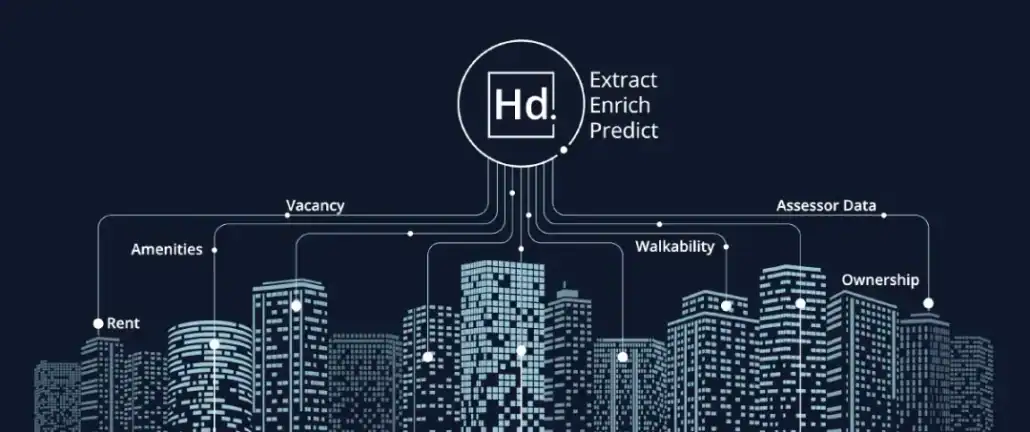
- Commercial real estate data: paid providers with their own MCP servers or AI feeds. These include Green Street, MSCI Real Assets, Yardi Matrix, ATTOM, Regrid, Cotality, HouseCanary, Realie, RentCast, and HelloData for multifamily rent comps. For location and site analysis, ArcGIS, Mapbox, and Foursquare Places all have MCP servers. On the capital markets side, Moody’s, S&P Capital IQ, FactSet, Morningstar, and AlphaSense do too.
- Licensed data bundled with skills: CRE Agents’ Vic connector brings licensed real estate data inside your AI, including multifamily rents and comps, property and ownership records, zoning and land use, climate and hazard risk, trade area demographics, employment, migration, traffic counts, and interest rate benchmarks. You get the methodology and the data it runs on through one connection.
Two checks before you connect any data source: confirm your subscription terms allow use with AI tools, and confirm whether the MCP server is the vendor’s own or community-built. We note which is which on every profile in the AI.Edge Knowledge space.
AI.Edge Pro members also get the A.CRE Intelligence Hub, our own MCP server that streams live CRE market, demographic, labor, and rate data plus analyst skills into your harness. Its main purpose is to teach you how the knowledge layer works by using it.
Layer 5: You (Keeping a Human in the Loop)
There’s no software for the fifth layer. A levered IRR is an output. Whether the rent growth is defensible, whether the exit cap fits the submarket, whether new supply breaks the thesis: those are judgment calls, and they’re yours. The stack gets you to the number faster and with better inputs. What the number means is your job, and it’s the part of this work that pays.
I’ve seen what this looks like at scale. At Stablewood we underwrote over 50,000 deals and automated dozens of deliverables using AI, and the professionals who got the most out of it were the ones who knew the asset class well enough to catch the AI when it was wrong. So are AI agents replacing analysts in commercial real estate? They’re replacing the parts of the job that were copying, pasting, and formatting. The analysts who learn to direct a stack are becoming more valuable.
How to Build Your AI Tech Stack (Step by Step)
If you’re wondering how to use AI in real estate beyond the chat window, here’s the sequence I’d follow.
- List the tasks you run in a normal month. Circle the ones that are repetitive, document-heavy, or spreadsheet-heavy. Our Multiplier Framework gives you a structured way to do this.
- Pick the harness that sits where those tasks happen. For most CRE professionals that’s Claude or ChatGPT, plus the version that runs inside Excel.
- Choose the model for each task. Use a fast, cheap model for lookups and a frontier model for multi-step analysis. Check the rankings before you commit a big job.
- Connect one system. Email or files usually saves the most time first.
- Add one skill and one data source for a task you’d otherwise repeat by hand.
- Run one real task end to end and judge the result yourself. Then add the next layer.
How to Make Claude or ChatGPT Smart in Commercial Real Estate
The fastest way to add the knowledge layer is to connect a service that brings CRE skills and data together. That’s what we built CRE Agents to do. CRE Agents is the capabilities layer for commercial real estate. It connects to Claude, ChatGPT, Copilot, and Perplexity, and gives them CRE agent skills, ready-to-run CRE tasks, and licensed real estate datasets through its Vic connector. Once connected, you make Claude or ChatGPT smart in real estate by starting a request with “Use Vic,” for example “Use Vic to abstract this lease.” If you’d rather build the knowledge layer yourself, the AI.Edge Skill of the Week series and the public data sources above are the place to start.
AI.Edge Pro members can go deeper in two places: the first lesson of AI.Edge Fundamentals and the August 2026 Skill Drop. Both walk a stack from empty to working, with a case study.
Example AI Stacks by CRE Role
Here’s what a practical starting stack looks like for five common CRE roles. Treat each as a starting point you’d adapt to your firm’s systems.
AI for Commercial Real Estate Brokers
Brokers spend a large share of their week on prospecting, valuation, and marketing materials. A good starting stack: Claude or ChatGPT as the harness, a CRM connector (Salesforce or HubSpot), Gmail or Outlook, Claude for PowerPoint or Copilot in PowerPoint for decks, and property, ownership, and comp data. The tasks that pay off first are broker opinions of value, offering memorandum drafts, owner outreach lists, and deal-specific market summaries. CRE Agents’ investment sales catalog packages these as ready-to-run tasks.
AI for Acquisitions and CRE Underwriting
AI in commercial real estate underwriting works best when the model sits in the workbook and has the deal documents and market data at hand. A good starting stack: Claude for Excel (or ChatGPT for Excel, Endex, or Shortcut AI), a files connector for the deal room, an underwriting skill, and rent comp, sale comp, demographic, and hazard data. First tasks: buy-box screens of new offerings, rent roll and T12 standardization, first-pass pro formas, and IC memo drafts. Our Multiplier Framework workshop shows how to double your underwriting speed with AI. See the acquisitions catalog for licensed versions of these tasks.
AI for Real Estate Development and Construction
Developers use AI for site selection, feasibility, entitlements research, and development pro formas, and construction teams use it for draw tracking, RFIs, and daily logs. A good starting stack: Claude Cowork or Claude Code for multi-step research, parcel, zoning, and land use data (Regrid, ATTOM, or Realie), location data (ArcGIS or Mapbox), hazard data, and a development modeling skill. First tasks: site screening memos, zoning summaries by address, lease-up and stabilization scenarios, and development IC memos. A.CRE’s free residential land development model skill is a good first skill to try. The development catalog covers these from site through stabilization.
AI for Asset and Property Management
AI in commercial property management and asset management centers on your own operating data. A good starting stack: Claude or Copilot connected to your property management system (Yardi Virtuoso is the clearest example today), your accounting system, and your document store, plus skills for budgeting, variance analysis, and CAM reconciliation. First tasks: monthly NOI variance explanations, operating budgets, CAM reconciliations, work order triage, and hold/sell valuations. A.CRE’s free asset management model skill is a good place to start. See the asset management catalog.
AI for Real Estate Investors and Investor Relations
AI tools for real estate investors range from screening deals to reporting to LPs. A good starting stack: Claude or ChatGPT, your fund and investor data (Juniper Square’s MCP server, for example), capital markets data (Moody’s, S&P Capital IQ, or FactSet) for credit and REIT research, and skills for waterfalls and investor reporting. First tasks: quarterly investor report drafts, distribution and waterfall explanations, and investor intro decks. For debt analysis, try our commercial mortgage loan analysis skill. The investor relations catalog has these ready to run.
AI Courses and Training for Real Estate
Learning to use AI is now a core professional skill in commercial real estate. A growing set of programs teach CRE professionals how to build and use an AI stack, from research and underwriting to operations and marketing. Our hub for AI training for commercial real estate collects our free lessons, and the leading programs are below.
- AI.Edge (AI course + community): an AI course for real estate and practical AI learning community created by industry veterans who apply AI at scale. With over 1,700 members, AI.Edge features monthly training, AI Skill Drops and the Skill of the Week, the AI Tech Stack library of harness, model, connector, and knowledge profiles, the nightly Model Leaderboard, the A.CRE Intelligence Hub, the monthly Intelligence Brief, and the AI.Edge Fundamentals course, which builds baseline fluency fast.
- UCLA Extension, Artificial Intelligence in Real Estate: covers AI in valuation, analytics, investment optimization, location selection, and migration patterns, with case studies on ethical implications. Prerequisites include market and financial analysis experience.
- Columbia Plus, Artificial Intelligence in Real Estate: delivered by Columbia Engineering over 8 modules with guest lectures, hands-on coding, and a group project, led by Josh Panknin.
Legacy AI Solutions for Commercial Real Estate
Everything above is about assembling a stack. The tools below are legacy AI solutions: standalone point solutions that do one job in their own app and don’t plug into your harness the way a connector or skill does. Several are excellent at that one job, and some CRE teams will keep using them for years. We list them here so you can find them, with a one-line description of what each does today. We recheck every entry each edition.
Purpose-Built AI Tools for CRE
These are AI-powered applications built for commercial real estate, typically focused on a single use case like lease abstraction, rent roll processing, underwriting, or presentations.
- Prophia: Abstracts and manages CRE lease data, rent rolls, and portfolio reporting with AI.
- Henry AI: Automates CRE underwriting models, pitch decks, market research, and buyer lists for deal teams.
- Proda AI: Collects, standardizes, and error-checks rent roll data from spreadsheets and property management systems.
- Archer: Parses multifamily rent rolls and T12s and automates underwriting and deal pipeline tracking.
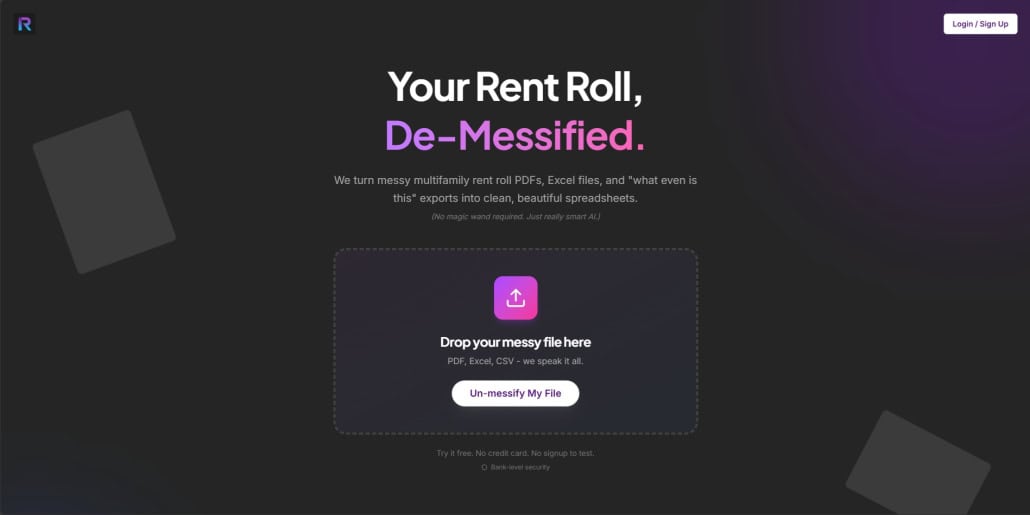
- rrol AI: Turns messy multifamily rent rolls from Excel, PDF, or CSV into standardized Excel and JSON files.
- DocSumo: Extracts, classifies, and verifies data from lending, insurance, and accounts-payable documents.
- EliseAI: Handles leasing communication, tour scheduling, and resident management for multifamily operators.
- AI Headshots for Real Estate: A.CRE’s tool that turns a quick photo into a professional headshot.
- AI-Powered Lease Date Extraction Tool: A.CRE’s free tool that pulls key dates out of commercial leases with AI.
Vertical AI Tools for Construction and Operations
- Karmen: Builds and updates construction project schedules from project documents.
- Fresco: Automates door, frame, and hardware takeoffs from construction plans and specs.
- SymphonyAI: Builds industry-specific predictive, generative, and agentic AI applications for retail, financial services, and industrial companies.
Custom GPTs for CRE (by A.CRE)
Since OpenAI released custom GPTs in late 2023, we’ve been building custom GPTs for commercial real estate. They’re available to both paid and free ChatGPT users. Agent skills are the successor format, since a skill works across Claude, ChatGPT, and other harnesses, but these GPTs still do their jobs well. If you want to build your own, here’s how to build a custom GPT, Claude Project, or Gemini Gem.
- Advanced Mortgage Amortization Schedule: Takes your loan inputs and fills them into our Advanced Mortgage Amortization Schedule Excel model.
- Basic Real Estate DCF Model: Builds a basic DCF and returns an Excel file with inputs, calculations, and return outputs.
- Code Helper for Financial Models: Audits, assesses, and improves VBA code in Excel financial models. It helped build our Excel 4 CRE add-in.
- Cover Letter Composer by A.CRE: Drafts a professional cover letter using a framework used by top universities and career coaches.
- CRE Technical Interview Coach: Preps you for real estate technical interviews, with a focus on case studies and modeling.
- Real Estate Case Studies Creator: Writes real estate case studies for modeling practice, lectures, and hiring tests.
- STNL Sales Comp Analysis Tool: Analyzes single-tenant net lease sales comps and generates key metrics and insights.
- STNL Valuation Model Custom GPT: Walks you through rent, cap rate, and tenant credit inputs to value a single-tenant net lease property.

Excel Formula and Spreadsheet Helpers
The AI agents that work inside Excel are covered in the harness section above. These are lighter tools for writing formulas and scripts.
- Excel 4 CRE Add-in: A.CRE’s free Excel add-in for CRE professionals, with AI-powered formula explanations, writing help, and Excel support.
- Better Analyst (formerly FormulaBot): Connects data sources, builds dashboards and reports, and automates analysis workflows.
- SheetGod: Converts plain-English requests into Excel and Google Sheets formulas, VBA macros, and Apps Script.
- Formula Dog: Generates Excel and Google Sheets formulas, VBA and Apps Script code, and regex from plain language.
- GPTExcel: Generates Excel and Sheets formulas, pivot tables, charts, VBA scripts, and SQL queries from prompts.
Tools for Writing, Document Creation, and Editing
Your harness handles most drafting and editing now (see the model and harness sections above). These tools cover specific writing and document jobs.
- CheckboxAI: Automates no-code legal document generation, intake, and approval workflows for legal teams.
- Type: An AI-assisted editor for long-form writing.
- WordviceAI: Proofreading, paraphrasing, translation, summarizing, and grammar checking.
- DocuWriter.ai: Generates and syncs technical documentation, API references, and diagrams from source code.
- Beautiful.ai: Builds and auto-formats slide decks from prompts, outlines, or source documents.
- Handl: Classifies documents and extracts and validates data from unstructured files, with human review.
- QuillBot: Paraphrasing, grammar checking, summarizing, and AI-text detection.

Tools for Organizing, Structuring, and Analyzing Real Estate Data
For data you can connect straight to your AI, see the knowledge layer above. These tools help structure documents into data first.
- Trellis: Extracts structured data from unstructured documents, calls, and emails into databases. It’s now focused mainly on healthcare workflows.
- LlamaIndex: LlamaParse, an agentic document parsing and extraction platform, plus an open-source local parser.
Tools for Improved Communication
- MailMaestro (formerly Flowrite): Drafts emails and replies inside Gmail and Outlook from a short prompt.
- Yoodli: AI roleplay simulations for sales, coaching, and presentation practice, with feedback.
- Twain: Researches prospects and drafts personalized outbound messages. Twain also has an MCP server, so it can work as a connector.
Tools for Social Media
- Lately: Converts long-form content into multiple social media posts.
- Hootsuite (formerly Heyday): Social inbox and engagement tools, including the AI chat features that came from Hootsuite’s Heyday acquisition.
- Omneky: Generates and distributes AI image, video, and UGC-style ads across the major ad platforms.
- UpHex: Pre-built, AI-assisted ad campaign templates for marketing agencies on GoHighLevel.
- AI Social Bio: Writes social media bios for Instagram, X, and LinkedIn from keywords and a style reference.

Tools for Marketing
- Jasper: AI marketing agents for content, SEO, campaigns, and brand voice. Jasper also publishes an MCP server.
- Jacquard: Generates and optimizes marketing copy for email, SMS, push, and social.
- SmartWriter: Personalized cold outreach emails based on AI research into each prospect.
- MarketingBlocks AI: Automates content, design, landing pages, and video for marketers.
- BrandWell: Long-form, SEO-optimized blog content and marketing copy from a keyword or source material.
- Voicebooking: A marketplace for professional voice-over talent, with a free AI voice-over generator.
Tools for Image and Design
- Midjourney: Generates images and short videos from text prompts. The current version is V8.2.
- GPT Image 2.5 (ChatGPT Images): OpenAI’s image generation and editing in ChatGPT and the API, formerly 4o Image Generation.
- Nano Banana 2: Google’s image generation and editing model in the Gemini app.
- FLUX (Black Forest Labs): Open-weight text-to-image and video models. The current family is FLUX.2.
- Stability AI: Image, audio, and 3D generation plus a chat assistant, built on Stable Diffusion 3.5.
- Adobe Photoshop Generative Expand: Extends or fills image content with AI, powered by Adobe Firefly.
- Adobe Sensei: Adobe’s enterprise AI platform across its Experience, Creative, and Document Clouds. Generative image tools now carry the Firefly brand.
- Designs.ai: Generates images, video, copy, design, audio, and slides from one creative brief.
- Deep Art Effects (Deep Art AI): Turns photos and videos into stylized artwork with AI filters.
- Krea AI: A real-time creative suite for image, video, and 3D generation that brings Flux, Veo, Kling, and Runway models into one canvas.
Tools for Video Generation
These tools turn text prompts, images, or scripts into video for marketing, training, and property storytelling. OpenAI discontinued Sora this year, so it’s no longer listed.
- Veo 3.1 (Google): Generates cinematic video with synchronized audio from text or images.
- HeyGen: AI avatar videos with lip-synced speech, translation, and script-driven editing.
- Kling AI: Video and image generation from text or images. The current model family is Kling 3.0.
- Runway: Video, image, and audio generation and editing. The flagship model is Gen-4.5.
- 2Short AI: Turns long-form videos into short clips for TikTok, Reels, and YouTube Shorts.
Tools for Voice, Song, and Audio Generation
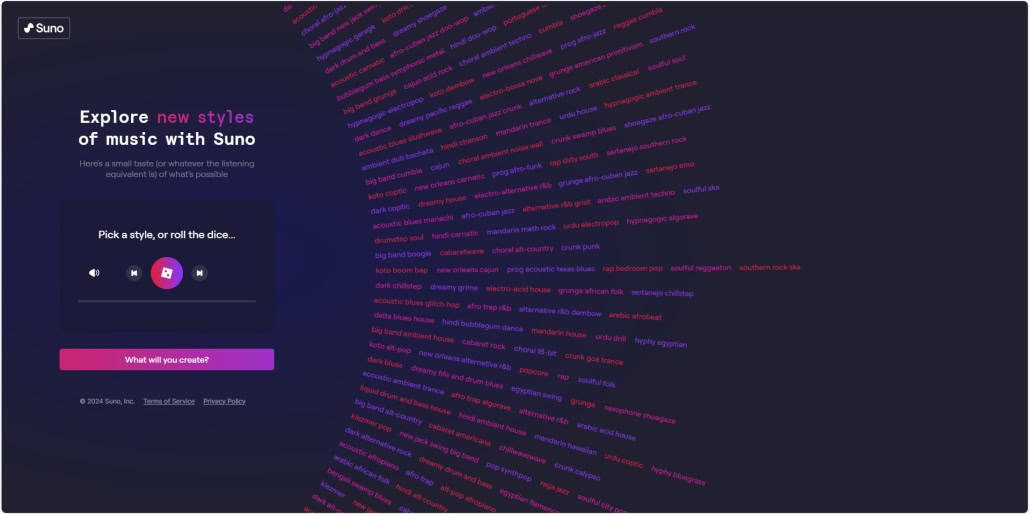
- Suno: Generates full songs with vocals and lyrics from a text description. The current model is v5.5.
- ElevenLabs: Text-to-speech, voice cloning, conversational voice agents, and music and sound-effect generation.
- Resemble AI: Deepfake detection, audio watermarking, and identity verification for enterprises. It’s moved away from consumer voice cloning.
Conclusion: AI for Commercial Real Estate
A tools list only gets you so far. The CRE professionals getting real results from AI have picked a harness, learned which model to send each task to, connected it to their own systems, and given it the CRE skills and data it doesn’t have on its own. Then they review the output like a senior underwriter would.
You don’t have to build all five layers this week. Pick one recurring task, run it through a harness with one connector and one skill, and judge the result. That’s how I learn, by tinkering, and it’s how most of the AI.Edge community learned too. If you want a free, structured way to start, try my 30-Day AI-Capable Challenge. If you want to learn alongside other CRE professionals, join us in AI.Edge.
We’ll keep testing what’s new and updating this guide every quarter.
Frequently Asked Questions About AI Tools for Commercial Real Estate
What are the best AI tools for commercial real estate in 2026?
The best AI tools for commercial real estate work together as a stack. Most CRE professionals use Claude or ChatGPT as their harness, including the versions that run inside Excel. They choose a model like Claude Opus 5.5 or GPT-6, connect email, files, and their CRM through MCP connectors, and add CRE agent skills and real estate data from providers like Green Street, Yardi Matrix, or CRE Agents.
What is an AI tech stack?
An AI tech stack is the set of software layers that, together with a person, make up an AI agent. It has four software layers: a harness (the app you work in), a model (the LLM doing the reasoning), connectors (links to your systems), and knowledge (agent skills and data). The fifth layer is the human in the loop who reviews the output and makes the call.
What are AI agents in commercial real estate?
AI agents in commercial real estate are AI systems that complete multi-step CRE work, like screening an offering, standardizing a rent roll, or drafting an IC memo, by reasoning, calling tools, and reading data on their own. In practice, an agent is a harness and model connected to your systems and given CRE methodology and data, with a professional directing and reviewing the work.
What are agent skills, and where can I get CRE agent skills?
An agent skill is a packaged methodology your AI follows every time, so you don’t have to re-explain the process in each prompt. You can write your own, which the AI.Edge Skill of the Week series teaches, or license them. CRE Agents offers CRE agent skills and ready-to-run tasks for investment sales, acquisitions, asset management, development, and investor relations that work inside Claude, ChatGPT, and Copilot.
How do I connect real estate data to Claude or ChatGPT?
Most real estate data now reaches Claude and ChatGPT through MCP servers. Public sources like the U.S. Census Bureau have official servers, and sources like SEC EDGAR and FRED have community-built ones. Paid providers such as Green Street, MSCI, Yardi Matrix, ATTOM, and Regrid publish their own. CRE Agents’ Vic connector bundles licensed CRE datasets with the skills that use them in a single connection.
What is MCP?
MCP, the Model Context Protocol, is an open standard for connecting AI applications to outside tools and data. When a software vendor or data provider publishes an MCP server, any harness that supports MCP, including Claude, ChatGPT, Copilot, and Gemini, can read from it or act in it. In Claude, you add an MCP server from the connector directory or by pasting in its URL as a custom connector.
Can AI underwrite a commercial real estate deal?
AI can produce a strong first-pass underwriting today. With Claude for Excel or a similar in-workbook agent, an underwriting skill, the deal documents, and rent comp and market data, it can standardize the rent roll and T12, build the pro forma, and draft the IC memo. The assumptions still need a professional’s judgment, especially rent growth, exit cap, and supply risk.
What is the best AI for commercial real estate brokers?
For most commercial real estate brokers, the best AI is Claude or ChatGPT connected to their CRM and email, with Claude for PowerPoint or Copilot for decks, plus property, ownership, and comp data. The tasks that pay off first are broker opinions of value, offering memorandum drafts, owner outreach lists, and market summaries. CRE Agents packages these as an investment sales catalog.
What is the best AI for real estate development?
For real estate development, the most useful stack pairs Claude Cowork or Claude Code with parcel, zoning, and land use data (Regrid, ATTOM, or Realie), location data (ArcGIS or Mapbox), and hazard data, plus a development modeling skill. Start with site screening memos, zoning summaries by address, lease-up scenarios, and development IC memos.
Are AI agents replacing analysts in commercial real estate?
AI agents are replacing the parts of the analyst job that were copying, pasting, and formatting. They aren’t replacing judgment about rent growth, exit caps, or whether a deal thesis holds. Analysts who learn to direct an AI stack are getting more done and becoming more valuable to their firms.
Do these AI tools work for residential real estate agents?
Many do. Claude, ChatGPT, and Copilot, the connectors for email and CRM, and data sources like RentCast, HouseCanary, and ATTOM all serve residential real estate agents and investors too. This guide focuses on commercial real estate, so the skills, datasets, and role stacks are written for CRE work.
How can I use AI to make money in real estate?
AI makes money in real estate by letting you evaluate more deals, move faster, and produce better work with the same team. Screen more offerings against your buy box, underwrite faster, find owners and off-market opportunities, and turn out polished marketing and investor materials in a fraction of the time. The returns come from the decisions you make with the extra time.
How often is this AI tools guide updated?
We update this guide at least quarterly, and sooner when major models or tools launch. Each edition refreshes the model section, the “what changed” summary, and the legacy tools list, where we recheck every link. AI.Edge members get the AI Tech Stack library and a Model Leaderboard that updates every night.
What is AI.Edge?
AI.Edge is A.CRE’s AI course and learning community for commercial real estate professionals, with over 1,700 members. It includes monthly training, the AI.Edge Fundamentals course, weekly agent skills, Skill Drops, the AI Tech Stack library, a nightly Model Leaderboard, and the A.CRE Intelligence Hub for Pro members.
What is CRE Agents?
CRE Agents is the capabilities layer for commercial real estate. It connects to Claude, ChatGPT, Copilot, and Perplexity, and gives them CRE agent skills, ready-to-run CRE tasks, and licensed real estate datasets through its Vic connector. Users connect once, then start a request with “Use Vic.”