
• Link to Facebook
  • Link to Youtube
  • Link to LinkedIn
  • Link to X
  • Link to Tiktok
  • Link to Instagram
  • EN ESPAÑOL
    • Inicio
    • Glosario de Términos
    • Modelos Financieros
    • Tutoriales Cortos
  • A.CRE HELP
    • Support Section
    • Contact Us
  • LOGIN/REGISTER
  • Shopping Cart Shopping Cart
    0Shopping Cart
Adventures in CRE
  • A.CRE
    • A.CRE Home
    • A.CRE Help
    • Accelerator
      • Learn More
      • Login
    • AI.Edge
      • Learn More
      • Login
    • Artificial Intelligence
    • Careers
    • CRE Event Calendar
    • CRE Job Board
    • Education
    • Library of Excel Models
    • Meet the A.CRE Team
  • RE Modeling
    • 1031 Exchange
    • Audio Series
    • All-in-One (Ai1) Model
      • Download
      • Guides and Tutorials
      • Support
    • Ask Me Anything (Live)
    • Beginner’s Guide to Excel
    • Excel Models
      • Excel Add-ins
      • Library of Excel Models
      • All-in-One (Ai1) Model
      • Apartment
      • Condo
      • Debt
      • Development
      • Equity Waterfall
      • Hotel
      • Industrial
      • Office
      • Portfolio
      • Retail
      • Single Family
      • Tutorial
    • Excel Tips
    • Practice Library of Case Studies
    • Stochastic Modeling
    • Argus
    • My Downloads / My Account
  • Careers
    • About Careers in Real Estate
    • Ask Me Anything (Live)
    • Audio Series
    • Compensation in Real Estate
    • CRE Job Board
      • Find a Job
        • Browse Jobs
        • Post a Resume
        • Register
        • Login
      • Post a Job
    • CRE Event Calendar
    • CRE Interviews
    • Day in the Life Series
    • Real Estate Legal Content
    • What CRE Pros Do
  • Education
    • Accelerator
    • AI.Edge
    • A.CRE 101
    • Ask Me Anything (Live)
    • A.CRE Audio Series
    • Audio Series
    • Book Reviews
    • CRE Event Calendar
    • Deep Dive Series
    • Glossary of CRE Terms
    • Real Estate Legal Content
    • Real Estate Clubs
    • University Profiles
    • Watch Me Build
  • AI
    • AI Skills
    • AI Use Cases in CRE
    • AI for CRE Training
    • AI Tools for CRE
    • AI.Edge Membership
      • Learn More
      • Login
  • Accelerator
    • Accelerator Reviews
    • Accelerator Story
    • Enroll Now
    • Learn More
    • See What’s New
    • Enterprise Members Only
      • General Enterprise Login
      • ICSC Login
      • M&M Login
    • Members Only
      • Extend/Renew Membership
      • Login
      • Manage Membership
  • My Downloads
    • View My Downloads
    • Find an Excel Model
    • Register
    • Login
  • Click to open the search input field Click to open the search input field Search
  • Menu Menu
You are here: Home1 / Artificial Intelligence2 / AI Tools for CRE3 / AI-Powered Lease Date Extraction Tool (Updated Oct 2025)
Spencer Burton
Artificial Intelligence, AI Tools for CRE

AI-Powered Lease Date Extraction Tool (Updated Oct 2025)

On a flight from Chicago to Miami last week, I built something I’m really excited to share for free: my AI-powered Lease Date Extraction Tool. Starting with a simple ChatGPT prompt, followed by a back-and-forth with Replit’s Agent 3 multi-agent coding assistant, what in the past would have taken a team of engineers months to build came together in just a few hours.

This app is part of our broader mission at A.CRE: to build and share custom-built AI tools for CRE. Just as we’ve built the largest library of readily available (i.e. free!) institutional-quality Excel models to help CRE professionals master financial modeling, we’re now working to create the largest library of AI tools to help CRE professionals become AI-Native.

The goal is twofold: a) to share useful AI apps for real estate and b) to inspire others in real estate to build their own AI tools.

  • Are you an AI.Edge member? Consider sharing your AI use cases in the AI.Edge Build Showcase. Not yet a member and interested in becoming AI-Native? Considering joining the AI.Edge.
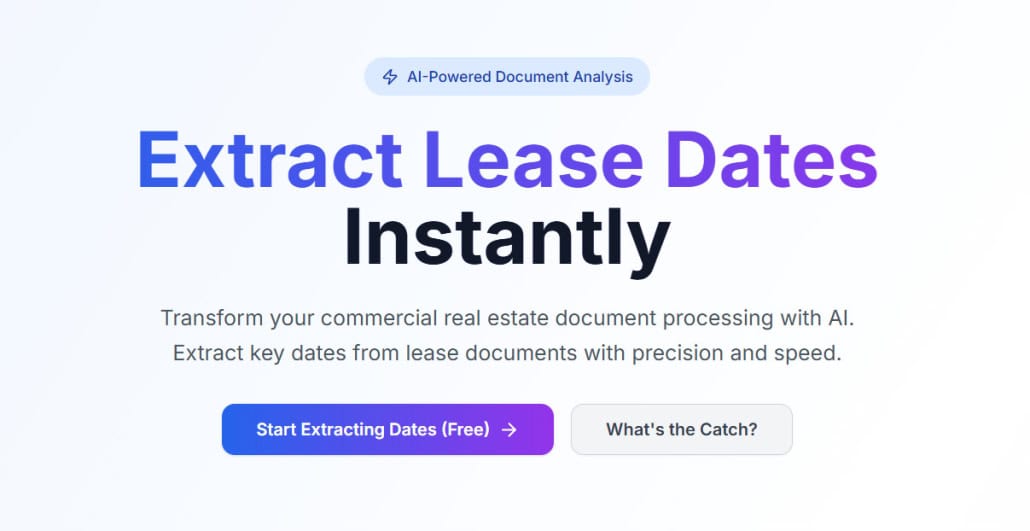
Lease Date Extraction Tool

What is the Lease Date Extraction Tool?

The Lease Date Extraction Tool is a web application designed to do one thing really well: extract and organize all dates from lease documents.

  • Users upload one or more lease PDFs (main lease + addenda).
  • The system processes them intelligently based on the order set by the user.
  • Documents are split into “chunks” and passed through an AI workflow, greatly improving accuracy.
  • The AI extracts all key dates — commencement, expiration, renewal, reporting deadlines, and more.
  • Dates are updated during extraction as new information is discovered across addenda.
  • A master list of dates is produced, which can be exported to Excel (for people) or JSON (for AI systems).

The tool is demonstrative of the types of applications that can be built by regular real estate people leveraging AI. As we get time, we’ll expand on this tool (just as we have with our models) based on your feedback. So, if there’s a feature you’d like included and/or you find a bug, please let us know.

Why Extract Dates?

Lease documents are dense and packed with dozens, sometimes hundreds, of dates. Property managers, asset managers, and tenants live and die by these dates.

  • Miss the date by which a landlord must report insurance costs, and the tenant may not be obligated to reimburse.
  • Miss a sales reporting date as a tenant, and you could face penalties.
  • Fail to capture a renewal deadline, and you risk unintended vacancy.

In short, lease dates are critical. This tool seeks to make tracking them faster, more reliable, and less tedious.

How This Was Built

I personally built this Lease Date Extraction Tool literally on a flight from Chicago to Miami. I’m not a software engineers, but rather a regular real estate guy (albeit with intense personal interest in AI!) using AI-native tools. But it proves an important point: with the right starting point, any AI-native CRE professional can build automation tools to greatly multiply their output.

I used Replit and its new Agent 3 multi-agent coding system to build the app:

  1. User Upload – One or more lease PDFs uploaded in order.
  2. Smart Chunking – Leases are split into manageable pieces.
  3. Iterative AI Processing – Each chunk is analyzed by AI, with dates carried forward and updated if new evidence is found.
  4. Master Date List – A reconciled list of all dates is produced.
  5. Export Options – Results can be exported to Excel or JSON.

Under the hood, the app runs a React frontend with animations, a Node.js backend, and Replit’s built-in database. It processes files securely in memory and uses WebSocket live updates for a responsive experience.

It’s also extendable. Future versions could extract tenant names, rents, clauses, square footage, or even power portfolio dashboards.

How to Use the Lease Date Extraction Tool

Getting started is simple — the tool is designed to be intuitive, but here’s a quick step-by-step guide:

  1. Go to the app.
  2. Click “Start Extracting Dates.”
  3. Upload your lease and any addenda. Make sure to order the files from oldest to most recent (i.e. 1 as oldest).
  4. Click “Start AI Analysis.”
  5. Leave the page open while the engine runs. It processes approximately one page every 30 seconds, so grab a coffee while it works.
  6. Review your extracted dates, then export the results to Excel or JSON.

Note on Data Privacy

The system only retains document contents while processing and contents of documents are not used to train any models.

What’s Your Role? The Human-in-the-Loop

Just because something can be fully automated doesn’t mean it should be (or that it’s worth the risk). In CRE, where a missed clause or date can cost millions, human oversight and validation is essential. Tools like this are meant to be paired with a professional who validates the outputs and leverages it to speed a process they still manage.

Thus, while we are training the next generation of AI-native professionals in industry, our view is that an AI-native person uses AI to multiply their output, not replace their judgment. AI is the engine, but the human stays in the cockpit guiding, validating, and ensuring the system doesn’t make a multimillion-dollar mistake.

Access the Lease Date Extraction Tool

The Lease Date Extraction Tool is available free to the A.CRE community. Use it, remix it, or build on top of it for your own projects.

Access Lease Date Extraction Tool

Frequently Asked Questions about the AI-Powered Lease Date Extraction Tool

What does the Lease Date Extraction Tool do?

The tool extracts and organizes all key dates from lease documents, including commencement, expiration, renewal, reporting deadlines, and more. It processes uploaded PDFs (main lease + addenda) in a user-defined order, splits them into chunks, and runs them through an AI workflow to improve accuracy. A master list of dates is then produced and can be exported to Excel or JSON.

Why is extracting lease dates important in commercial real estate?

Lease documents often contain dozens or hundreds of critical dates. Missing a deadline — such as a landlord’s reporting date or a tenant’s renewal deadline — can result in penalties, missed reimbursements, or unintended vacancies. The tool helps make tracking these dates faster, more reliable, and less tedious.

How does the AI process the documents?

The tool sends “chunks” of the lease documents to a backend AI agent with instructions to find and return all dates. Each new chunk is sent along with previously found dates, so the AI can update earlier values if a later addendum modifies them — for example, extending an expiration date.

What file types and order should I use when uploading leases?

You should upload lease PDFs and any addenda, ordered from oldest to most recent. The processing logic depends on document order to accurately update key dates as new information (like amendments) is discovered.

What are the output formats of the extracted dates?

The tool outputs results in both JSON and CSV (Excel-friendly) formats. JSON is ideal for integration with other AI systems, while CSV is optimized for human review in spreadsheet software.

What AI models does the tool use to power the data extraction?

At launch, the data extraction is performed by Mistral’s open-source Mistral NeMo Instruct model hosted by Digital Ocean.

Is the tool secure and suitable for professional use?

While the tool is intended for educational and demonstrative purposes and not recommended for professional use without validation, data privacy and security were considerations in development. The tool only retains document contents during processing and does not store them afterward. Additionally, the contents passed through the LLM are not used to train future versions of AI models.

What is the role of the human user in this process?

The human remains a critical “validation step.” While the tool automates extraction, it’s essential that a real estate professional reviews the results. As stated: “AI is the engine, but the human stays in the cockpit guiding, validating, and ensuring the system doesn’t make a multimillion-dollar mistake.”

How was the Lease Date Extraction Tool built without coding experience?

The creator used Replit’s Agent 3 multi-agent system and ChatGPT to iteratively build the tool without traditional coding. Through natural language prompts and refinement, the backend (Node.js), frontend (React), and workflows were built in just a few hours — largely during a flight from Chicago to Miami.

Can this tool be extended to extract more than just dates?

Yes. Future versions could extract tenant names, rent amounts, clauses, square footage, or even populate portfolio dashboards. The tool is built with extensibility in mind.


Version Notes

Beta Version 2.0

  • AI Intelligence:
    • Added smart ‘Date Reconciliation’ step that reviews all extracted dates for accuracy
    • System now uses two specialized AI models – one finds dates, the other connects them together
    • Automatically removes duplicate dates when the same date appears multiple times
    • Converts vague dates like “120 months after lease start” into actual calendar dates
    • Creates connections between related dates (e.g., links expiration dates to their start dates)
    • Built-in backup system ensures you always get results, even if date matching has issues
  • New Visual Dashboard:
    • New timeline dashboard to see all your lease dates at a glance
    • Fixed overlapping labels so every date is clearly readable
    • View one year at a time with arrow buttons to browse through your full lease term
    • Added date markers along the timeline so you can see where months and years fall
    • Click any color-coded category to filter and see just those dates (click again to see all)
    • Timeline dates now display perfectly at the edges without getting cut off
    • Date dots appear cleanly on top of their connector lines for better visibility
    • Labels automatically arrange themselves with connecting lines when dates are close together
    • Faster loading with unnecessary components removed

Beta Version 1.1

  • Various speed improvements
  • Various cost efficiency improvements
  • Moved from Claude Sonnet 4 and GPT-5-mini to Mistral NeMo Instruct

Beta Version 1.0

  • Initial release

About the Author: Spencer Burton is Co-Founder and CEO of CRE Agents, an AI-powered platform training digital coworkers for commercial real estate. He has 20+ years of CRE experience and has underwritten over $30 billion in real estate across top institutional firms.

Spencer also co-founded Adventures in CRE, served as President at Stablewood, and holds a BS in International Affairs from Florida State University and a Masters in Real Estate Finance from Cornell University.

Contact Spencer
by Spencer Burton
Share this entry
  • Share on X
  • Share on LinkedIn
  • Share by Mail
  • Link to Instagram
  • Link to Youtube
https://www.adventuresincre.com/wp-content/uploads/2025/09/lease-dates.jpg 1024 1024 Spencer Burton https://adventuresincre.com/wp-content/uploads/2022/04/logo-transparent-black-e1649023554691.png Spencer Burton2025-10-04 16:00:152025-10-04 20:22:11AI-Powered Lease Date Extraction Tool (Updated Oct 2025)
You might also like
Using ChatGPT as a Real Estate Analyst – Sales Comp Analysis (Updated Aug 2023)
Create Your First AI Tool: Sales Comp Database ChatGPT Plugin
ChatGPT vs Bard vs LLaMa Chat (Aug 2023) – AI Chat for CRE Comparison
Understanding Leases: Office Buildings – Part 1
Become an AI Expert in CRE: Take Google’s Generative AI Courses
5 Steps for Building a Winning CRE AI Strategy in 2024 and Beyond

Featured AI Content

  • AI Use Cases in CRE
  • AI for CRE Training
  • AI Tools for CRE
  • GPTs for CRE

Recent Posts

  • AI Tools for Commercial Real Estate (Summer 2026 Edition)
  • The 2008 Financial Crisis, From the Ground Up: Why We Believed Houses Were Safe
  • Real Estate Equity Waterfall Model – IRR and Equity Multiple Hurdles (Updated June 2026)
  • A.CRE Self Storage Development Model (Updated June 2026)
  • Episode 12 of Multipliers: Ask Why Until the Answer Changes
AI.Edge

Search Adventures in CRE

Search Search

Have a Question or Need Help?

Visit our Help Section

Contact Adventures in CRE

  • Visit A.CRE Help
  • Via Email
  • Via LinkedIn

You Might Also Like

  • Real Estate Modeling Courses
  • Real Estate Financial Modeling
  • A.CRE Job Board
  • Careers in Commercial Real Estate
  • Real Estate Education

A.CRE Library of Excel Models

  • Browse Excel Models
  • Login/Register
  • View My Downloads
  • Edit Account Details

Terms, Policies, and Disclaimer

  • Privacy Policy
  • Cookie Policy
  • AI Usage Policy
  • Terms of Use
  • Disclaimer
© 2014 - Present - Copyright - www.AdventuresinCRE.com, LLC | Adventures in CRE | A.CRE
  • Link to Facebook
  • Link to Youtube
  • Link to LinkedIn
  • Link to X
  • Link to Tiktok
  • Link to Instagram
Link to: AI.Edge: Explorando la IA en Bienes Raíces Comerciales Link to: AI.Edge: Explorando la IA en Bienes Raíces Comerciales AI.Edge: Explorando la IA en Bienes Raíces Comerciales Link to: Fix the 0% XIRR Issue in Excel Using XIRR + FILTER Link to: Fix the 0% XIRR Issue in Excel Using XIRR + FILTER Fix the 0% XIRR Issue in Excel Using XIRR + FILTER
Scroll to top Scroll to top Scroll to top