• Link to Facebook
  • Link to Youtube
  • Link to LinkedIn
  • Link to X
  • Link to Tiktok
  • Link to Instagram
  • EN ESPAÑOL
    • Inicio
    • Glosario de Términos
    • Modelos Financieros
    • Tutoriales Cortos
  • A.CRE HELP
    • Support Section
    • Contact Us
  • LOGIN/REGISTER
  • Shopping Cart Shopping Cart
    0Shopping Cart
Adventures in CRE
  • A.CRE
    • A.CRE Home
    • A.CRE Help
    • Accelerator
      • Learn More
      • Login
    • AI.Edge
      • Learn More
      • Login
    • Artificial Intelligence
    • Careers
    • CRE Event Calendar
    • CRE Job Board
    • Education
    • Library of Excel Models
    • Meet the A.CRE Team
  • RE Modeling
    • 1031 Exchange
    • Audio Series
    • All-in-One (Ai1) Model
      • Download
      • Guides and Tutorials
      • Support
    • Ask Me Anything (Live)
    • Beginner’s Guide to Excel
    • Excel Models
      • Excel Add-ins
      • Library of Excel Models
      • All-in-One (Ai1) Model
      • Apartment
      • Condo
      • Debt
      • Development
      • Equity Waterfall
      • Hotel
      • Industrial
      • Office
      • Portfolio
      • Retail
      • Single Family
      • Tutorial
    • Excel Tips
    • Practice Library of Case Studies
    • Stochastic Modeling
    • Argus
    • My Downloads / My Account
  • Careers
    • About Careers in Real Estate
    • Ask Me Anything (Live)
    • Audio Series
    • Compensation in Real Estate
    • CRE Job Board
      • Find a Job
        • Browse Jobs
        • Post a Resume
        • Register
        • Login
      • Post a Job
    • CRE Event Calendar
    • CRE Interviews
    • Day in the Life Series
    • Real Estate Legal Content
    • What CRE Pros Do
  • Education
    • Accelerator
    • AI.Edge
    • A.CRE 101
    • Ask Me Anything (Live)
    • A.CRE Audio Series
    • Audio Series
    • Book Reviews
    • CRE Event Calendar
    • Deep Dive Series
    • Glossary of CRE Terms
    • Real Estate Legal Content
    • Real Estate Clubs
    • University Profiles
    • Watch Me Build
  • AI
    • AI Skills
    • AI Use Cases in CRE
    • AI for CRE Training
    • AI Tools for CRE
    • AI.Edge Membership
      • Learn More
      • Login
  • Accelerator
    • Accelerator Reviews
    • Accelerator Story
    • Enroll Now
    • Learn More
    • See What’s New
    • Enterprise Members Only
      • General Enterprise Login
      • ICSC Login
      • M&M Login
    • Members Only
      • Extend/Renew Membership
      • Login
      • Manage Membership
  • My Downloads
    • View My Downloads
    • Find an Excel Model
    • Register
    • Login
  • Click to open the search input field Click to open the search input field Search
  • Menu Menu
You are here: Home1 / Real Estate Financial Modeling2 / Excel Models3 / 3 Tiered Waterfall Module Added to the Condo Development Model
Michael Belasco
Real Estate Financial Modeling, Excel Models, Equity Waterfall, Development, Standalone, Condo

3 Tiered Waterfall Module Added to the Condo Development Model

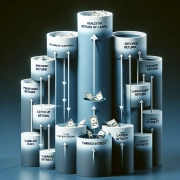
After receiving a few requests, I’ve finally gotten around to adding an equity waterfall module to the Condominium Development Model. This module allows you to model partnership splits up to three tiers using either equity multiple hurdles or IRR hurdles. Additionally, you can model for a preferred return for the limited partner where either (1) the general partner receives only its capital back after the LP receives its pref and before moving to the second tier or (2) the GP receives an equal return before moving to the second tier, but after paying the LP the preferred return.

Check out the original Condominium Development Model Post Here. 

Please download the model below and click on the Waterfall tab to follow along with the remainder of the post and/or watch the video tutorial below.

Model Overview

Once you have the model open and you are in the Waterfall tab, you will notice three sections: the Inputs section (C4:D34), the Return Metrics section (F4:K8), and the Cash Flow section (C37:AQ138). The Inputs section drives the whole module, so this post will focus there. For a more in depth understanding, please watch the video and spend some time reviewing the formulas in the cash flow section. Also, I have tested many scenarios for errors, but it’s always possible that the formulas may not account for something, so let me know if you happen to find any issues while using this and I will correct and update it.

The Inputs Section

IRR or Equity Multiple

The drop down menu in cell D5 is where you will choose whether the waterfall model will use equity multiple (EM) hurdles or IRR hurdles. As you switch between the two scenarios in D5, you will notice that all the cells that are relevant to the scenario NOT selected will be blacked out both in the Inputs section and the Cash Flow section. To clarify, let’s look at Tier 1 in the Cash Flow section (rows 42:77). If we select IRR in the drop down menu in D5, rows 45:46 and rows 58:59 are blacked out. These are the rows that are used for calculating returns based on an equity multiple. If we then select EM in cell D5, rows 45:46 and rows 58:59 are now open and rows 47:54 and rows 60:67 are blacked out.

Partnership Equity Contribution

In cell D7, simply type the percent of the equity required that will be paid out by the LP and the remainder will be allocated to the GP. Negative cash outflows during the investment period will be allocated in the Cash Flow section accordingly. To verify, see row 43 for any negative cash flows and then look to row 56 for the LP portion and row 69 for the GP portion. The negative cash flow in row 43 should be split in rows 56 and 69 according to your input in cell D7 for the LP and D9 for the GP.

Tier 1

Use either cell D13 or D14, depending on whether you are using an IRR or EM hurdle, to enter in your first hurdle rate. In cell D15, the model asks if there is a preferred return. If you select ‘No’, then cells C17:D19 will open up. Using cell D18, choose what percent of the positive cash flow in Tier 1 will be allocated to the LP until the first hurdle is reached. If you select ‘Yes’ in cell D15, cells C16:D16 open up and cell C16 asks if the GP will ‘get an equal return on cash before moving into the next tier or only a return of capital’. Choosing ‘Return Capital Only’ in cell D16 will do just that for the GP after the LP has received its pref and if there is enough cash available. All remaining available cash, if any, will be disbursed throughout the next two tiers. Selecting ‘Equal Return’ in cell D16, the model will disburse the LP’s capital and pref first and then if there is enough cash available, the GP receives a return of  capital and profit up until the GP and LP have an equal return before moving to the next tier.

Tiers 2 and 3

Use either cell D23 or D24, depending on whether you are using an IRR or EM hurdle, to enter in your second hurdle rate. In cell D29, you enter in the GP’s tier 2 promote. Cells D28 and D29 are added together to equal the total percent of profit in tier 2 that will be allocated to the GP (Cell D27) until the LP reaches its second hurdle rate. If there is any remaining cash flow to disburse once the LP hits the second hurdle rate, the remaining cash will be split according to cells D33 and D34 to which cell D34 can be manually adjusted and D33 will alter accordingly.

Video

For more details and direction, please watch the video:

Download the Condominium Development Model with Waterfall Module

To make this model accessible to everyone, it is offered on a “Pay What You’re Able” basis with no minimum (enter $0 if you’d like) or maximum (your support helps keep the content coming – typical real estate development models sell for $100 – $300+ per license). Just enter a price together with an email address to send the download link to, and then click ‘Continue’. If you have any questions about our “Pay What You’re Able” program or why we offer our models on this basis, please reach out to either Mike or Spencer.

We regularly update the model. Paid contributors to the model receive a new download link via email each time the model is updated.

Proceed to Download Page

Frequently Asked Questions about the 3 Tiered Waterfall Module in the Condo Development Model

What return hurdles can be used in the 3-tier waterfall module?

You can use either IRR hurdles or Equity Multiple (EM) hurdles. Select your preferred metric from the dropdown menu in cell D5 on the Waterfall tab.

How does the model treat irrelevant inputs based on the hurdle type selected?

The model blackens out inputs and cash flow rows that don’t apply to the selected hurdle type (IRR or EM), preventing confusion and guiding the user to the relevant inputs.

How are equity contributions split between the GP and LP?

Enter the LP’s share of the equity in cell D7; the remaining portion is automatically assigned to the GP. Negative cash flows in the investment period are split according to this ratio.

How does the model handle preferred return for the LP in Tier 1?

Set whether a preferred return exists in cell D15. If ‘Yes’, you can define whether the GP gets capital back only or an equal return before moving to Tier 2 using cell D16.

What is the difference between “Equal Return” and “Return Capital Only” for the GP in Tier 1?

“Return Capital Only” returns the GP’s invested capital after the LP receives its preferred return. “Equal Return” ensures both LP and GP receive matching return percentages before advancing to Tier 2.

How are the GP’s promote shares defined in Tier 2 and Tier 3?

Tier 2 promotes are set in cell D29. This is added to the base GP split (D28), which together determine the GP’s share in Tier 2. Tier 3 splits are defined in D33 (LP) and D34 (GP).

Can this model be used for preferred equity or mezzanine structures?

The model is designed for equity waterfalls with up to three tiers. While preferred return functionality exists, complex preferred equity or mezzanine debt structures would require further customization.

How do I verify that the inputs are flowing correctly into the cash flow section?

Review rows 43, 56, and 69 in the Cash Flow section to confirm cash flow splits. These reflect LP and GP allocations based on the equity percentages entered in the Inputs section.

Where can I report errors or get support for the model?

If you discover formula errors or have questions, you are encouraged to contact the author directly or leave a comment for corrections and updates.


About the Author: Michael has spent a decade working in various capacities on more than $7 billion of real estate transactions spanning all asset classes and geographies throughout the USA. Michael is both the founder of Firm Ridge Real Estate, which has a core focus on niche and emerging real estate strategies and A.CRE Consulting, a real estate advisory and financial modeling firm that has provided services on projects totaling more than $21 billion to date. Prior, Michael was a founding member and COO of Stablewood Properties, an institutionally backed real estate operator. And before Stablewood, Michael was at Hines in San Francisco.  Michael has both an MBA and Master in Real Estate with a concentration in Real Estate Finance from Cornell University.

Contact Michael


by Michael Belasco
Share this entry
  • Share on X
  • Share on LinkedIn
  • Share by Mail
  • Link to Instagram
  • Link to Youtube
https://www.adventuresincre.com/wp-content/uploads/2017/09/condo-Photo.jpeg 1080 1558 Michael Belasco https://adventuresincre.com/wp-content/uploads/2022/04/logo-transparent-black-e1649023554691.png Michael Belasco2017-09-04 03:03:452025-07-10 19:11:373 Tiered Waterfall Module Added to the Condo Development Model
You might also like
Waterfall Model For Real Estate Joint Ventures with Catch Up
Real Estate Equity Waterfall Model – IRR and Equity Multiple Hurdles (Updated July 2025)
adventures in cre real estate modeler creating cash-on-cash return equity waterfall Real Estate Equity Waterfall Model With Cash-on-Cash Return Hurdle (Updated Jul 2024)
Standard Industrial Lease – Triple Net Lease (NNN)
Real Estate Capital Account Tracking Tool (Updated Apr 2024)
Scenario Analysis Tool using the Equity Waterfall Model (UPDATED MAY 2022)
Accelerator - Learn More

Featured Content

  • RE Financial Modeling Training
  • Library of Excel Models
  • Post a Job – It’s Free
  • Master Financial Modeling
  • Technical Interview Guide
  • Definitive Guide to Excel
A.CRE Library of Excel Models

Recent Posts

  • A.CRE Real Estate Financial Models Download Guide (Updated Jun 2026)
  • Episodio 3 de Multiplicadores: La Brecha de la IA Ya Está Aquí
  • Nuevo Contenido en Español (Actualizado Junio 2026)
  • An AI Skill for the A.CRE Short-Term Rental Acquisition Model
  • Short-Term Rental Acquisition Model (Updated June 2026)

Note About Models

Models downloaded from A.CRE may contain errors. Verify formulas/methodology before basing investment decisions on any model here. Read our Terms and Conditions of Use and Disclaimer.

★★★★★

Accelerator Reviews

Search Adventures in CRE

Search Search

Have a Question or Need Help?

Visit our Help Section

Contact Adventures in CRE

  • Visit A.CRE Help
  • Via Email
  • Via LinkedIn

You Might Also Like

  • Real Estate Modeling Courses
  • Real Estate Financial Modeling
  • A.CRE Job Board
  • Careers in Commercial Real Estate
  • Real Estate Education

A.CRE Library of Excel Models

  • Browse Excel Models
  • Login/Register
  • View My Downloads
  • Edit Account Details

Terms, Policies, and Disclaimer

  • Privacy Policy
  • Cookie Policy
  • AI Usage Policy
  • Terms of Use
  • Disclaimer
© 2014 - Present - Copyright - www.AdventuresinCRE.com, LLC | Adventures in CRE | A.CRE
  • Link to Facebook
  • Link to Youtube
  • Link to LinkedIn
  • Link to X
  • Link to Tiktok
  • Link to Instagram
Link to: All-in-One (Ai1) Walkthrough #9 – Print Mode and the IRR Matrix Report Link to: All-in-One (Ai1) Walkthrough #9 – Print Mode and the IRR Matrix Report All-in-One (Ai1) Walkthrough #9 – Print Mode and the IRR Matrix Repor... Link to: The Latest Adventures in CRE Initiatives Link to: The Latest Adventures in CRE Initiatives Spencer Burton with Michael Belasco at the Boardwalk Granite Park, Plano TXThe Latest Adventures in CRE Initiatives
Scroll to top Scroll to top Scroll to top