• Link to Facebook
  • Link to Youtube
  • Link to LinkedIn
  • Link to X
  • Link to Tiktok
  • Link to Instagram
  • EN ESPAÑOL
    • Inicio
    • Glosario de Términos
    • Modelos Financieros
    • Tutoriales Cortos
  • A.CRE HELP
    • Support Section
    • Contact Us
  • LOGIN/REGISTER
  • Shopping Cart Shopping Cart
    0Shopping Cart
Adventures in CRE
  • A.CRE
    • A.CRE Home
    • A.CRE Help
    • Accelerator
      • Learn More
      • Login
    • AI.Edge
      • Learn More
      • Login
    • Artificial Intelligence
    • Careers
    • CRE Event Calendar
    • CRE Job Board
    • Education
    • Library of Excel Models
    • Meet the A.CRE Team
  • RE Modeling
    • 1031 Exchange
    • Audio Series
    • All-in-One (Ai1) Model
      • Download
      • Guides and Tutorials
      • Support
    • Ask Me Anything (Live)
    • Beginner’s Guide to Excel
    • Excel Models
      • Excel Add-ins
      • Library of Excel Models
      • All-in-One (Ai1) Model
      • Apartment
      • Condo
      • Debt
      • Development
      • Equity Waterfall
      • Hotel
      • Industrial
      • Office
      • Portfolio
      • Retail
      • Single Family
      • Tutorial
    • Excel Tips
    • Practice Library of Case Studies
    • Stochastic Modeling
    • Argus
    • My Downloads / My Account
  • Careers
    • About Careers in Real Estate
    • Ask Me Anything (Live)
    • Audio Series
    • Compensation in Real Estate
    • CRE Job Board
      • Find a Job
        • Browse Jobs
        • Post a Resume
        • Register
        • Login
      • Post a Job
    • CRE Event Calendar
    • CRE Interviews
    • Day in the Life Series
    • Real Estate Legal Content
    • What CRE Pros Do
  • Education
    • Accelerator
    • AI.Edge
    • A.CRE 101
    • Ask Me Anything (Live)
    • A.CRE Audio Series
    • Audio Series
    • Book Reviews
    • CRE Event Calendar
    • Deep Dive Series
    • Glossary of CRE Terms
    • Real Estate Legal Content
    • Real Estate Clubs
    • University Profiles
    • Watch Me Build
  • AI
    • AI Skills
    • AI Use Cases in CRE
    • AI for CRE Training
    • AI Tools for CRE
    • AI.Edge Membership
      • Learn More
      • Login
  • Accelerator
    • Accelerator Reviews
    • Accelerator Story
    • Enroll Now
    • Learn More
    • See What’s New
    • Enterprise Members Only
      • General Enterprise Login
      • ICSC Login
      • M&M Login
    • Members Only
      • Extend/Renew Membership
      • Login
      • Manage Membership
  • My Downloads
    • View My Downloads
    • Find an Excel Model
    • Register
    • Login
  • Click to open the search input field Click to open the search input field Search
  • Menu Menu
You are here: Home1 / Real Estate Financial Modeling2 / Excel Models3 / Real Estate Capital Account Tracking Tool (Updated Apr 2024)
Spencer Burton
Real Estate Financial Modeling, Excel Models, Equity Waterfall, Modules, Asset Management

Real Estate Capital Account Tracking Tool (Updated Apr 2024)

I’ll be the first to admit that real estate asset management doesn’t get the attention it deserves on AdventuresinCRE.com. The real reason for this is that we’re not necessarily asset management experts. I spent some time working in asset management as an intern and I took my fair share of asset management courses during my graduate real estate studies, but I’m not in the asset management trenches every day and so I don’t often think about developing tools for our readers who are asset managers. But I’d like to change that. Allow me to introduce our first asset management Excel model – a tool for tracking the capital account balance of partners in a real estate venture.

  • Fun fact: this tool was initially released in 2014, one of the first Excel models shared to A.CRE!

What the Real Estate Capital Account Tracking Tool Does

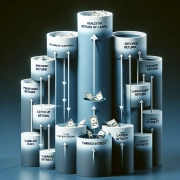
So, this Excel model is quite simple. Drop in various assumptions about the partnership structure, enter the capital contributions and distributions made to date, and the model outputs each partner’s capital account balance as of a specified date (defaulted to today).

The model can also report the capital account balance for any partner as of any date, so long as the actual data has been properly recorded in the model.

General Assumptions about the Partnership Structure

The model makes a few general assumptions about the partnership that are important to note. First, it is assumed that the preferred return and repayment of the capital account will be made pro rata based on the proportion of total equity each partner contributes with the balance compounding monthly.

Second, the model assumes a partnership structure where a preferred return is paid to the partners during operations, with any surplus in cash flow above the preferred return going to pay down the partners’ capital accounts and any deficit accruing to the capital accounts. At sale (or at a capital event), any accrued preferred return is first paid, followed by a reduction in the capital account to zero and then distribution to the partners based on some promote structure – the promote is not modeled in this tool but you can check out our Equity Waterfall models for how to calculate the promote.

Finally, the model assumes there are up to four partners, making no distinction between general and limited partners. However the logic in the model is such that adding more partners, or making distinctions between partners, shouldn’t be too difficult.

Video Tutorial for the Real Estate Capital Account Tracking Tool

I recorded a quick video tutorial showing you how to use the model, what the different inputs do, and which outputs are most important. Below the video you’ll find a link to download the model. Please let me know if you have any questions or comments.

  • Track up to four partners capital accounts
  • Outputs real-time balance for each partner
  • Simple, one-tab module
  • Include in larger asset management model or use standalone

Compatibility

This version of the model is only compatible with Excel 2013, Excel 2016, and Excel 365

Download the Real Estate Capital Account Tracking Tool

To make this tool accessible to everyone, it is offered on a “Pay What You’re Able” basis with no minimum (enter $0 if you’d like) or maximum (your support helps keep the content coming – typical real estate development tools sell for $25 – $100+ per license). Just enter a price together with an email address to send the download link to, and then click ‘Continue’. If you have any questions about our “Pay What You’re Able” program or why we offer our models on this basis, please reach out to either Mike or Spencer.

We regularly update the tool (see version notes). Paid contributors to the tool receive a new download link via email each time the tool is updated.

Proceed to Download Page

Frequently Asked Questions about the Real Estate Capital Account Tracking Tool

What is the purpose of the Real Estate Capital Account Tracking Tool?

The tool tracks the capital account balances of up to four partners in a real estate venture, based on capital contributions, distributions, and accrued preferred return.

How does the model calculate the preferred return?

The preferred return is compounded monthly and paid pro rata based on each partner’s equity contribution. It is paid during operations and at capital events.

Can I track capital accounts for more than four partners?

The model is designed for up to four partners, but the logic allows for expansion. Users with Excel experience could add more partners with moderate adjustments.

Does the tool distinguish between general and limited partners?

No, the tool does not make a distinction between GP and LP roles. It treats all partners equally in terms of capital tracking.

Is the promote structure included in this model?

No, promote calculations are not included. For that, A.CRE recommends using one of their Equity Waterfall models.

Can I use this model in a larger asset management tool?

Yes, the model is a single-tab module that can be integrated into a broader asset management model or used standalone.

What Excel versions are compatible with this model?

The tool is compatible with Excel 2013, Excel 2016, and Excel 365.

How often is the model updated and how can I get updates?

The tool is periodically updated. Paid contributors receive an email with the new version whenever it’s released.


Version Notes

v2.0

  • Fixed IRR calculation
  • Updated Accrued Interest calculation to compound monthly on an Actual/Actual schedule
  • Relabeled ‘Accrued Interest’ to ‘Preferred Return Owed’
  • Extended Analysis Period to 10 years
  • Added blue background to contribution and distribution input cells
  • Updated placeholder values to better represent what an active file might look like
  • Misc. formatting updates

v1.0

  • Initial release

About the Author: Spencer Burton is Co-Founder and CEO of CRE Agents, an AI-powered platform training digital coworkers for commercial real estate. He has 20+ years of CRE experience and has underwritten over $30 billion in real estate across top institutional firms.

Spencer also co-founded Adventures in CRE, served as President at Stablewood, and holds a BS in International Affairs from Florida State University and a Masters in Real Estate Finance from Cornell University.

Contact Spencer
by Spencer Burton
Share this entry
  • Share on X
  • Share on LinkedIn
  • Share by Mail
  • Link to Instagram
  • Link to Youtube
https://www.adventuresincre.com/wp-content/uploads/2024/05/capital-account-tracking-tool.webp 1024 1024 Spencer Burton https://adventuresincre.com/wp-content/uploads/2022/04/logo-transparent-black-e1649023554691.png Spencer Burton2024-05-01 10:00:062025-10-03 14:25:12Real Estate Capital Account Tracking Tool (Updated Apr 2024)
You might also like
All About Careers in Real Estate Management (Updated June 2024)
Real Estate Asset Management Model (Updated May 2026)
equity multiple Real Estate Waterfall Model – Equity Multiple Hurdles
Watch Me Build a 3-Tier Real Estate Equity Waterfall Model (Updated Aug 2024)
adventures in cre real estate modeler creating cash-on-cash return equity waterfall Real Estate Equity Waterfall Model With Cash-on-Cash Return Hurdle (Updated Jul 2024)
Real Estate Equity Waterfall Model – IRR and Equity Multiple Hurdles (Updated June 2026)
Accelerator - Learn More

Featured Content

  • RE Financial Modeling Training
  • Library of Excel Models
  • Post a Job – It’s Free
  • Master Financial Modeling
  • Technical Interview Guide
  • Definitive Guide to Excel
A.CRE Library of Excel Models

Recent Posts

  • AI Tools for Commercial Real Estate (Summer 2026 Edition)
  • The 2008 Financial Crisis, From the Ground Up: Why We Believed Houses Were Safe
  • Real Estate Equity Waterfall Model – IRR and Equity Multiple Hurdles (Updated June 2026)
  • A.CRE Self Storage Development Model (Updated June 2026)
  • Episode 12 of Multipliers: Ask Why Until the Answer Changes

Note About Models

Models downloaded from A.CRE may contain errors. Verify formulas/methodology before basing investment decisions on any model here. Read our Terms and Conditions of Use and Disclaimer.

★★★★★

Accelerator Reviews

Search Adventures in CRE

Search Search

Have a Question or Need Help?

Visit our Help Section

Contact Adventures in CRE

  • Visit A.CRE Help
  • Via Email
  • Via LinkedIn

You Might Also Like

  • Real Estate Modeling Courses
  • Real Estate Financial Modeling
  • A.CRE Job Board
  • Careers in Commercial Real Estate
  • Real Estate Education

A.CRE Library of Excel Models

  • Browse Excel Models
  • Login/Register
  • View My Downloads
  • Edit Account Details

Terms, Policies, and Disclaimer

  • Privacy Policy
  • Cookie Policy
  • AI Usage Policy
  • Terms of Use
  • Disclaimer
© 2014 - Present - Copyright - www.AdventuresinCRE.com, LLC | Adventures in CRE | A.CRE
  • Link to Facebook
  • Link to Youtube
  • Link to LinkedIn
  • Link to X
  • Link to Tiktok
  • Link to Instagram
Link to: Hide and Unhide Tabs using Drop-down Menus in Excel (Updated Apr 2024) Link to: Hide and Unhide Tabs using Drop-down Menus in Excel (Updated Apr 2024) Hide and Unhide Tabs using Drop-down Menus in Excel (Updated Apr 2024) Link to: Watch Me Build – Modeling a Rent Schedule in Both Excel and Using AI (Updated May 2024) Link to: Watch Me Build – Modeling a Rent Schedule in Both Excel and Using AI (Updated May 2024) Watch Me Build – Modeling a Rent Schedule in Both Excel and Using AI (Updated...
Scroll to top Scroll to top Scroll to top